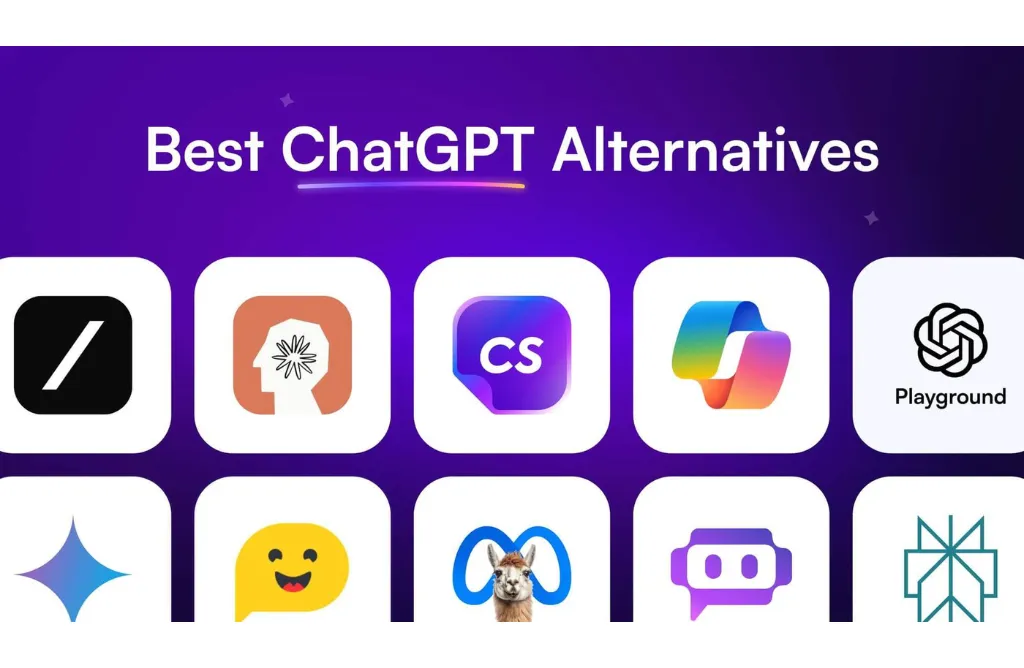
10 Best ChatGPT Alternatives in 2026
In 2026, the AI assistant market has moved far beyond a single dominant tool. While ChatGPT still sets the benchmark for general-purpose AI, rising costs, message limits, inconsistent real-time access, and enterprise compliance gaps have pushed users to actively explore ChatGPT alternatives that better match their workflows.
Students want free AI tools like ChatGPT that don’t cap usage. Developers need AI models with deeper reasoning, lower token costs, and stronger coding accuracy. Businesses and enterprises demand secure, compliant AI assistants that integrate cleanly into productivity stacks. As a result, the conversation in 2026 is no longer “Is ChatGPT good?” it’s “Which ChatGPT alternative fits my exact use case?”
To answer that, I tested and compared the best ChatGPT alternatives in 2026 using real-world prompts across writing, coding, research, automation, and enterprise workflows. This guide cuts through hype and rankings driven by marketing, focusing instead on performance, value, and practical outcomes.
Best ChatGPT Alternatives at a Glance (2026)
In Google AI Mode, users want instant clarity: Which tool fits my task, budget, and workflow right now?
This refined comparison focuses on performance–value balance, specialization, and real-world usability not marketing claims. Use it to shortlist fast, then jump to each tool’s deep dive for pros, cons, and edge cases.
| Tool | Best For | Key Strength | Free / Paid | Starting Price | Rating (2026) |
| Claude | Writing, coding, long docs | Human-like nuance, low hallucinations | Both | Free / $20/mo | 9.5/10 |
| Google Gemini | Real-time & multimodal | Live Search, 1M+ token context | Both | Free / $20/mo | 9.2/10 |
| DeepSeek | Free advanced reasoning | MoE efficiency, ultra-low cost | Both | Free / ~$0.10–$0.14/M | 9.0/10 |
| GitHub Copilot | IDE-centric coding | Repo-aware autocompletion | Paid | $10/mo | 8.9/10 |
| Microsoft Copilot | Business workflows | M365 automation & compliance | Paid | $30/user/mo | 8.8/10 |
| Perplexity AI | Research & verification | High citation density | Both | Free / $20/mo | 8.7/10 |
| Meta AI | Casual, on-the-go use | Free, app-native speed | Free | Free | 8.5/10 |
| Jasper AI | Marketing teams | Brand voice & pipelines | Paid | $49/mo | 8.4/10 |
| Cursor | AI-native coding | Multi-file refactoring | Both | Free / $20/mo | 8.3/10 |
| Tabnine / Codeium | Lightweight coding | Privacy-first, fast | Both | Free / $12/mo | 8.2/10 |
Why People Are Looking for ChatGPT Alternatives ( 2026)
In 2026, users aren’t abandoning ChatGPT because it’s “bad” they’re switching because specialized tools now outperform it in specific workflows. As AI becomes embedded in daily production, teams prioritize cost predictability, real-time accuracy, deeper coding support, privacy controls, and workflow-native integrations areas where focused alternatives shine.
Below is a clearer, more complete picture of the core demand drivers plus the 2026 trends accelerating the shift.
Primary demand drivers
- Rising costs for power users
Premium tiers and higher API rates make sustained, high-volume use expensive, pushing teams toward lower-cost or usage-efficient models. - Message and usage caps
Free and mid-tier limits interrupt long sessions and agentic workflows, leading users to seek tools with more generous or predictable quotas. - Delayed or limited real-time data
Research, monitoring, and trend analysis require live sources and citations, favoring verification-first platforms over static knowledge cutoffs. - Limited depth for complex coding
General chat struggles with multi-file refactors, repo-wide context, and agentic edits, prompting developers to adopt IDE-native or code-focused tools. - Enterprise compliance and governance gaps
Regulated teams need SOC 2, GDPR alignment, data isolation, audit logs, and IP indemnification often better supported by enterprise-first platforms. - Customization and control constraints
Organizations want model choice, fine-grained permissions, on-prem or private deployments, and cost controls, not a single monolithic interface.
2026 trends accelerating the switch
- Agentic workflows over chat-only interfaces
Users assign outcomes (“ship a PR,” “compile a report”), favoring systems built to plan, act, and verify, not just respond. - Token economics and efficiency pressure
Cost-efficient architectures dramatically lower per-task spend, making alternatives attractive for scale. - Sovereign AI and data residency
Regional regulations and security incidents increase demand for self-hosted or privacy-first options. - Multimodality as table stakes
Video, audio, images, and very large context windows are now expected for research, education, and analysis. - Workflow-native integrations
Tools embedded directly in IDEs and productivity suites reduce friction and outperform standalone chat. - Model “personality” and rigor
Some users prefer more critical, opinionated models to counter over-agreeableness and reduce costly hallucinations.
How I Tested These ChatGPT Alternatives (2026)
I combined structured evaluations with hands-on, human testing. This mirrors how AI tools are judged in 2026 measuring not just clever answers, but reliability under real work, governance readiness, and end-to-end execution.
Every ChatGPT alternative faced the same tests, scored with consistent rubrics, and reviewed by multiple human evaluators to reduce bias and resolve edge cases.
Core testing framework (applied to every tool)
- Identical prompt sets
The same 50+ prompts across writing, coding, research, and automation to ensure fairness. - Instruction following & rubrics
Scored against predefined criteria (constraints met, structure, safety, completeness), not vibes. - Reasoning depth & tradeoff logic
Tested with multi-step and subjective prompts to assess coherence, prioritization, and decision quality. - Hallucination rate
Checked for confident inaccuracies in factual, legal, medical, and technical scenarios. - Coding accuracy & agentic loops
Evaluated on debugging, refactoring, and whether the tool can run, catch errors, and iterate to a working solution. - Context window stress tests
Large documents and codebases uploaded to measure retrieval accuracy and consistency over long sessions. - Speed and latency
Time-to-first-response and throughput compared across fast modes and high-reasoning modes. - User experience (UX)
Interface clarity, session stability, and friction during extended workflows. - Integrations & workflow fit
Performance inside IDEs, productivity suites, APIs, and browser-based tasks not just chat windows. - Pricing fairness & token economics
Value delivered per dollar, including usage limits, API costs, and predictability at scale. - Privacy, security, and governance
Review of data controls, DPAs, SOC 2/GDPR alignment, and suitability for enterprise use.
How scoring was calculated
Scores reflect a balanced, production-first view:
- 40% Performance (reasoning, accuracy, coding)
- 20% Speed & UX
- 20% Integrations & value
- 20% Reliability & privacy
Additional signals included multimodal consistency, agent autonomy, and 2026 feature updates. Final rankings used majority-rule grading across multiple human reviewers to smooth out variance.
What Makes a Great ChatGPT Alternative in 2026
In 2026, a great ChatGPT alternative is no longer judged by how well it chats it’s judged by how well it executes. The strongest platforms move beyond text replies to agentic autonomy, deep ecosystem integration, and verifiable accuracy under real-world constraints. This framework is used consistently to evaluate and rank every tool in this guide.
Core ranking criteria (2026-weighted)
- Response quality
Precise instruction-following, strong reasoning depth, and consistently low hallucination rates on complex tasks. - Real-time access & grounding
Live web, video, and data retrieval with citations to reduce factual risk and outdated answers. - Integrations & workflow fit
Native connections to IDEs, productivity suites, APIs, and internal knowledge minimizing context switching. - Security & privacy controls
Enterprise-grade governance, data isolation, and options for private or local execution when required. - Scalability & cost predictability
Stable performance at scale, transparent token economics, and pricing that supports heavy usage. - Support ecosystem & velocity
Documentation quality, active communities, plugin ecosystems, and meaningful update cadence.
2026 differentiators that separate leaders from laggards
- Agentic capabilities (from chat to action)
Top alternatives act as autonomous agents planning, executing, verifying, and iterating across apps (e.g., browsing, running code, completing workflows) rather than waiting for constant prompts. - Massive context reliability
Handling entire codebases, long videos, or multi-hundred-page documents (often 1–2M tokens) without retrieval errors. - Multimodality as a baseline
Text, images, audio, video, and code analyzed together for research, debugging, and synthesis. - Verifiable accuracy by default
Real-time grounding with numbered citations and source transparency to mitigate hallucinations. - Customization & deployment choice
Model selection, fine-tuning, and self-hosting options to overcome rigidity and meet compliance needs.
The 10 Best ChatGPT Alternatives in 2026
The AI market in 2026 is no longer dominated by a single general-purpose chatbot. Instead, it has fragmented into specialized tools that outperform ChatGPT in specific workflows from ethical long-form writing to enterprise automation and low-cost technical reasoning.
This ranked list prioritizes real performance, pricing efficiency, and real-world adoption, not brand noise. Tools are ordered using a weighted framework: benchmarks (50%), cost–value ratio (30%), and workflow fit & user adoption (20%).
Claude Best for Natural & Ethical Conversations
Claude has firmly established itself in 2026 as the most human-like and ethically grounded ChatGPT alternative. It’s the top choice for users who feel other AI tools sound robotic, overly agreeable, or inconsistent during long, nuanced conversations.
Claude is built on Constitutional AI, a design approach that enables self-correction based on explicit ethical principles. This results in clearer reasoning, fewer hallucinations, and more trustworthy responses especially in sensitive, professional, or creative contexts.
Pros
- Natural, nuanced writing
Produces expressive prose without common AI clichés, ideal for creative and professional writing. - Massive context window
Handles 200K+ tokens (and higher in specialized versions), making it excellent for books, legal docs, and large codebases. - Ethical & low-hallucination outputs
Consistently safer, more balanced responses than general-purpose chatbots. - Claude Artifacts workspace
Side-by-side editing and rendering for documents, code, and web pages turns chat into a collaborative workspace.
Cons
- Limited plugin ecosystem
Fewer third-party integrations compared to ecosystem-heavy tools. - Usage caps on team plans
High-volume collaboration can hit limits during peak usage.
Pricing
- Free tier with message limits
- Pro: ~$20/month (higher usage + early access to latest models)
- Teams: ~$30/user/month
Reviews & real-world feedback
Claude earns consistently high trust from writers, researchers, educators, and developers. Users praise its instruction-following, long-context reliability, and calm tone. The Artifacts feature is frequently cited as a standout for writing, design previews, and code explanation workflows.
Google Gemini Best for Real-Time Info & Google Integration
Google Gemini has evolved into a true ecosystem assistant in 2026. Its biggest advantage over ChatGPT is the ability to combine live web intelligence with direct access to a user’s Google data turning AI from a chatbot into an active productivity layer across Google services.
Gemini doesn’t just answer questions; it works inside your files, emails, and calendars, pulling real-time information from Google Search while interacting with content stored in Drive, Gmail, and Docs.
Pros
- Real-time web & search grounding
Pulls up-to-the-minute data on news, flights, hotels, and trends directly from Google Search. - Deep Google Workspace integration
Summarizes email threads, drafts replies, analyzes Sheets data, and edits Docs natively. - Large context & multimodality
Can analyze long PDFs, hours of video, images, and audio including real-time video understanding. - Cross-device availability
Integrated into Android (as the Google Assistant replacement) and available on iOS and web.
Cons
- Inconsistent long-form reasoning
Struggles with narrative-heavy tasks like novels or deep conceptual writing compared to Claude. - Utility-first tone
Outputs prioritize efficiency over expressive or creative language.
Pricing
- Free tier available via Gemini
- Gemini Advanced included with Google One AI Premium (~$20/month)
Reviews & real-world feedback
Gemini earns strong, productivity-focused sentiment from Google Workspace users, who report faster research, smoother document workflows, and reliable real-time answers. Feedback consistently notes its strengths in automation and multimodal analysis while acknowledging weaker performance for long-form creative writing.
DeepSeek Best Free ChatGPT Alternative for Advanced Reasoning
DeepSeek is the most disruptive value-first ChatGPT alternative in 2026. It delivers elite-level reasoning and coding performance often rivaling or outperforming premium models while remaining free or extremely low-cost. For users blocked by ChatGPT’s pricing or message caps, DeepSeek is the most practical escape hatch.
What truly differentiates DeepSeek is its reasoning transparency and efficiency-first design. Instead of optimizing for polish or personality, it prioritizes logic, math, and technical correctness.
Pros
- Outstanding reasoning & math accuracy
Excels at step-by-step logic, proofs, and complex analytical tasks where hallucinations are costly. - “DeepThink” reasoning engine
Uses reinforcement learning–based reasoning models (e.g., R1) that explicitly work through problems before answering. - Generous free tier + ultra-low API costs
Delivers near–Pro-level intelligence without a $20/month subscription. - Open-source friendly
Frequently releases weights, enabling local deployment and full data control.
Cons
- Basic UI and user experience
Feels utilitarian compared to consumer-focused AI tools. - Limited native integrations
Not designed for productivity suites or plug-and-play automation.
Pricing
- Free web and app usage
- API pricing as low as ~$0.07–$0.27 per million tokens
- Free self-hosting for advanced users
Reviews & real-world feedback
DeepSeek is especially popular with students, developers, and STEM researchers who need accurate reasoning at scale. It’s widely praised for coding, debugging, and math-heavy tasks often replacing paid ChatGPT plans for budget-conscious power users.
GitHub Copilot Best ChatGPT Alternative for Coding
GitHub Copilot remains the industry-standard AI coding assistant in 2026. Unlike general-purpose chatbots, Copilot functions as a true AI pair programmer, embedded directly inside the tools developers already use so there’s no context switching, no copy-pasting, and no workflow friction.
Copilot wins because it focuses on execution over conversation.
Why GitHub Copilot stands out in 2026
Copilot has evolved far beyond autocomplete. It now understands entire repositories, developer intent, and team workflows making it far more practical than ChatGPT for real software engineering.
Pros
- Deep IDE integration
Works natively inside VS Code, Visual Studio, JetBrains IDEs, and terminal workflows. - Repository-level awareness
Understands architecture, dependencies, and existing patterns not just the open file. - Copilot Chat (code-focused)
Refactors functions, explains legacy logic, and generates unit tests inline. - Pull request automation
Auto-generates PR summaries and change explanations for teams. - Enterprise-grade security
Includes copyright indemnity and ensures private code is not used to train public models. - Extensions & ecosystem hooks
Can trigger actions with tools like CI pipelines, containers, and cloud deployments via natural language.
Cons
- Not a general AI assistant
Weak for research, writing, or open-ended reasoning. - Conversation depth is limited
Optimized for code, not long explanations or ideation.
Pricing
- Individual: $10/month
- Business: $19/user/month
- Free access for verified students, educators, and select open-source maintainers
Reviews & developer sentiment
Copilot consistently earns 4.7/5 ratings from professional developers. Teams report 40–55% productivity gains, especially for boilerplate generation, test creation, and refactoring. Its value compounds in large codebases where context matters more than raw model intelligence.
Microsoft Copilot Best for Microsoft Ecosystem & Business Users
Microsoft Copilot has evolved into the backbone of enterprise AI workflows in 2026. Rather than acting as a standalone chatbot, it functions as the connective tissue of Microsoft 365, unifying documents, meetings, emails, data, and internal systems into a single AI-powered work layer.
For organizations already invested in Microsoft, Copilot replaces fragmented AI usage with governed, context-aware automation.
Why Microsoft Copilot stands out in 2026
Copilot operates natively across Word, Excel, PowerPoint, Outlook, Teams, Windows, and Edge, with access to Microsoft Graph. This allows it to understand what you’re working on, who you’re working with, and what happened before a major differentiator from generic AI tools.
Pros
- Deep Office & Windows integration
Creates Word documents from OneNote, PowerPoint decks from proposals, and Excel models from plain English. - Context-aware productivity via Microsoft Graph
Pulls insights from emails, calendars, chats, and files to summarize your workday or prioritize tasks. - Meeting intelligence in Teams
Generates recaps for missed meetings, highlights decisions, assigns action items, and tracks follow-ups. - Enterprise-grade security & compliance
SOC 2, GDPR alignment, tenant-level data isolation, and clear guarantees that company data is not used to train public models. - Copilot Studio & custom agents
Businesses can build internal AI agents for HR, finance, IT support, reporting, and operations without exposing sensitive data. - Proven enterprise ROI
Large organizations report 100%+ productivity ROI through reduced admin work and faster decision cycles.
Cons
- Strong ecosystem lock-in
Value drops sharply outside Microsoft 365 and Windows environments. - Limited cross-platform flexibility
Less effective for teams centered on Google Workspace or mixed SaaS stacks. - Not creativity-first
Optimized for structured business output, not long-form creative ideation.
Pricing
- Individual: Copilot Pro ~$20/month
- Business & Enterprise: ~$30 per user/month as a Microsoft 365 add-on (pricing varies by plan)
Reviews & enterprise sentiment
Microsoft Copilot consistently receives high enterprise adoption scores, especially among regulated industries. IT leaders cite governance, auditability, and security controls as key reasons for choosing Copilot over public AI tools, while users highlight major time savings in meetings, reporting, and email management.
Perplexity AI Best for AI-Powered Search & Research
Perplexity AI is not trying to be creative and that’s exactly why it wins in 2026. It is a research-first ChatGPT alternative built for users who need verifiable, real-time answers instead of speculative text.
Think of Perplexity as a conversational replacement for Google, optimized for accuracy over imagination.
Why Perplexity AI stands out in 2026
Perplexity is retrieval-first, meaning it pulls live information from the web and anchors every claim to sources. This directly addresses one of ChatGPT’s biggest weaknesses: hallucinations in factual and research-heavy tasks.
Pros
- Inline, numbered citations
Every response includes clickable sources for instant verification. - Deep Research mode
Runs multi-step searches and synthesizes dozens of sources into one answer. - High factual accuracy
Frequently cited as one of the lowest-hallucination AI tools available. - Model flexibility (paid plans)
Lets users query multiple frontier models for cross-validation. - Team-ready features
Collections and shared research workspaces support collaboration.
Cons
- Weak creative output
Not designed for storytelling, branding, or marketing copy. - Limited conversational flow
Optimized for answers, not brainstorming or ideation.
Pricing
- Free: Basic searches with limits
- Pro: ~$20/month for advanced research, file analysis, and higher usage
Reviews & trust signals
Perplexity is widely trusted by students, analysts, journalists, and researchers. Its transparency and citation density are repeatedly praised across professional communities.
Meta AI (Llama 3) Best for Social & On-the-Go AI
Meta AI, powered by open-weight Llama models, is the most accessible and frictionless ChatGPT alternative in 2026. It’s built for speed, convenience, and scale, not deep professional workflows.
Meta AI’s advantage is simple: it’s already everywhere.
Why Meta AI works in 2026
Meta AI is embedded directly into WhatsApp, Instagram, Messenger, Facebook, and even smart glasses, making it the easiest way to use AI without installing apps or paying subscriptions.
Pros
- Completely free
No plans, limits, or subscriptions. - Ubiquitous integration
Accessible inside chats, group conversations, and social feeds. - Fast, low-friction responses
Ideal for quick questions and casual tasks. - Multimodal basics
Handles text, images, voice, and translations. - AI Studio personalization
Users can create lightweight custom AI personas.
Cons
- Limited depth
Not suitable for advanced reasoning, coding, or long documents. - Minimal workflow control
Lacks customization, automation, and enterprise tooling. - Weaker verification
No built-in citation or research framework.
Pricing
- Free (subsidized through Meta’s ecosystem)
Reviews & everyday sentiment
Meta AI earns positive feedback for convenience and speed, especially among casual users and social creators. It’s often described as “good enough, instantly available, and effortless
Jasper AI Best for Marketing & Content Teams
Jasper AI is purpose-built for marketing teams that operate at scale. In 2026, Jasper is no longer just a writing assistant it’s a content orchestration platform designed to protect brand voice while accelerating output across channels.
Jasper succeeds where general AI tools fail: governed, repeatable marketing workflows.
Why Jasper AI stands out in 2026
Jasper is optimized for brand safety and consistency, making it ideal for teams that publish frequently and cannot afford off-brand or factually inconsistent content.
Pros
- Brand Voice & knowledge base
Ingests style guides, product data, and past campaigns to enforce tone and accuracy. - Multi-channel campaign generation
One brief can produce blogs, emails, ads, and social content in a unified voice. - Marketing-specific templates
Built for SEO blogs, paid ads, landing pages, and lifecycle emails. - Team workflows & approvals
Supports collaboration, versioning, and role-based access. - SEO tooling integration
Native integrations (e.g., Surfer-style optimization) align content with search intent.
Cons
- High cost for individuals
Pricing favors teams over solo creators. - Narrow scope
Not designed for coding, deep research, or general reasoning tasks.
Pricing
- Creator plans start around $49/month
- Team & Business tiers scale per user, with enterprise features like SSO
Reviews & marketer adoption
Jasper is widely adopted by agencies, SaaS marketing teams, and enterprises. Marketers consistently cite fewer revisions, faster publishing cycles, and stronger brand alignment as key wins.
Cursor Best AI-Powered Code Editor
Cursor represents a fundamental shift in developer tooling. Instead of adding AI to an editor, Cursor is the editor, rebuilt around AI-first workflows.
Cursor is not autocomplete it’s project-level intelligence.
Why Cursor stands out in 2026
Cursor is a full fork of VS Code, designed to index and understand your entire codebase by default. This allows it to reason across files, folders, and dependencies without manual context-pasting.
Pros
- Whole-codebase indexing
Instantly locates logic, components, and dependencies across projects. - Inline edits & refactors
Applies changes directly inside files, not via copy-paste chat outputs. - Multi-file “Composer” mode
Generates and updates multiple files in a single action. - Zero-config context
Automatically pulls relevant framework and library knowledge. - High developer satisfaction
Especially strong among full-stack and startup teams.
Cons
- Steeper learning curve
Requires mindset shift from traditional IDE usage. - Best value after full adoption
Casual use doesn’t unlock its full advantage.
Pricing
- Free tier for hobby use
- Pro plan at ~$20/month for unlimited fast AI requests
Reviews & developer sentiment
Developers consistently report 30–40% productivity gains on real projects. Cursor is often described as “what Copilot would be if AI truly understood your app.
Tabnine / Codeium Best Lightweight Coding Assistants
Tabnine and Codeium are the top choices in 2026 for developers who want fast autocomplete, minimal overhead, and strong privacy controls without switching to a heavy AI-native editor.
They’re built to blend into your existing workflow, not replace it.
Why Tabnine & Codeium matter in 2026
As AI tooling gets heavier and more agent-driven, many developers especially in SMBs, enterprises, and regulated environments prefer tools that stay lightweight, predictable, and secure. Tabnine and Codeium fill that gap.
Pros
- Blazing-fast autocomplete
Millisecond-level suggestions that don’t interrupt typing flow. - Privacy-first architecture
Tabnine supports fully local inference and zero-data training guarantees. - Low system requirements
Runs smoothly even on modest hardware. - Broad IDE support
Especially strong with VS Code, JetBrains, Vim, Emacs, and Xcode. - Minimal workflow disruption
Install-and-go plugins with no learning curve.
Cons
- Limited deep reasoning
Not designed for architectural decisions or complex refactors. - Shallow project understanding
Strong at file-level context, weaker at whole-repo planning. - Fewer agent-style features
No autonomous multi-step coding workflows.
Key differences at a glance
| Feature | Tabnine | Codeium |
| Primary strength | Privacy & security | Speed & accessibility |
| Local inference | Strong (core feature) | Available (enterprise) |
| Free tier | Limited | Best-in-class (free forever) |
| IDE coverage | Major IDEs | 70+ editors |
| Best for | Enterprises, regulated teams | Solo devs, SMBs |
Pricing
- Tabnine
- Free: basic completions
- Pro: ~$12/month with advanced chat and enterprise security
- Codeium
- Individual: Free (unlimited)
- Teams/Enterprise: ~$12/user/month
- Individual: Free (unlimited)
Reviews & developer sentiment
Both tools score highly with SMBs and solo developers. Tabnine is praised for compliance and data control, while Codeium is loved for being fast, free, and frictionless.
Which ChatGPT Alternative Should You Choose?
The fastest way to choose a ChatGPT alternative in 2026 is to match the tool to your primary pain point not hype. Ask one question first: What does ChatGPT fail to do well for me right now? Then pick accordingly.
Students & solo learners
Pain point: Cost limits, message caps, basic reasoning
Pick this
- DeepSeek advanced reasoning and math with a generous free tier
- Meta AI free, fast answers for everyday questions
Why
- No subscription pressure
- Strong explanations for homework and concepts
- Low friction on any device
Developers
Pain point: Weak code understanding, context loss, slow iteration
Pick this
- Claude deep reasoning, debugging, and long-context code analysis
- Cursor full-project refactors in an AI-first IDE
- GitHub Copilot fast, low-friction autocomplete inside your IDE
Why
- Better handling of real repositories
- Fewer hallucinations in complex logic
- IDE-native speed
Marketers & content teams
Pain point: Inconsistent brand voice, slow production, too many revisions
Pick this
- Jasper AI brand voice, campaigns, and team workflows
- Claude nuanced long-form writing and editing
Why
- Jasper enforces brand rules at scale
- Claude delivers human-like tone and depth
Businesses & operations
Pain point: Manual work, unreliable research, tool fragmentation
Pick this
- Microsoft Copilot Office, Teams, and workflow automation
- Perplexity AI cited research with low hallucination risk
Why
- Copilot automates day-to-day productivity
- Perplexity replaces traditional search with verified answers
Enterprises & regulated organizations
Pain point: Compliance, data risk, governance
Pick this
- Microsoft Copilot enterprise security, auditability, and control
- Claude ethical alignment and low hallucination rates
- Tabnine local, privacy-first coding support
Why
- Clear data isolation
- Lower legal and reputational risk
- Enterprise-ready deployment options
Frequently Asked Questions About ChatGPT Alternatives
What is the best free ChatGPT alternative in 2026?
The strongest free alternative overall is DeepSeek, which delivers advanced reasoning, math, and coding performance comparable to paid models without subscription costs. For casual, instant use, Meta AI is the most accessible free option, especially for on-the-go questions inside WhatsApp and Instagram.
Is there an AI better than ChatGPT overall?
There is no single AI that beats ChatGPT in every category, but several outperform it in specific areas. Claude is widely considered better for natural writing, long documents, and ethical reasoning. Perplexity AI is superior for research because it provides real-time answers with citations, while Google Gemini excels for users embedded in Google Workspace.
Which ChatGPT alternative is safest for business and enterprise use?
For organizations handling sensitive data, Claude is often chosen for its safety-first design and low hallucination rates, while Microsoft Copilot is preferred in corporate environments due to strong compliance, governance, and Microsoft 365 integration. These options offer clearer data controls than consumer chatbots.
What is the best ChatGPT alternative for coding?
For most developers, GitHub Copilot remains the best choice for fast, IDE-native autocomplete. Developers who want deeper, project-wide understanding often prefer Cursor, while Claude is frequently used for complex debugging and architectural reasoning.
Which ChatGPT alternative is best for research and citations?
Perplexity AI is the top choice for research in 2026 because it grounds answers in live web data and provides clickable citations for every claim. This makes it especially suitable for students, analysts, and professionals who need verifiable information rather than speculative responses.
Is ChatGPT still worth paying for in 2026?
For many users, ChatGPT is no longer the best value. A combination of specialized tools such as Claude for writing, Perplexity for research, and Copilot or Cursor for coding often delivers better results at a similar or lower total cost.
Final Verdict: The Best ChatGPT Alternative in 2026
In 2026, the idea of a single best ChatGPT replacement no longer holds. The smarter approach is choosing the best tool for your workflow, and real-world testing makes the winners clear. Claude stands out as the best overall ChatGPT alternative thanks to its human-like writing, ethical alignment, and long-document reasoning, making it ideal for professionals and creators.
For users who want maximum power without paying, DeepSeek is the strongest free alternative, offering elite reasoning and coding performance at zero or near-zero cost. Developers working on full projects will get the most value from Cursor, while businesses embedded in Microsoft 365 benefit most from Microsoft Copilot. This guide is updated for 2026 bookmark it or compare the top tools again before deciding.