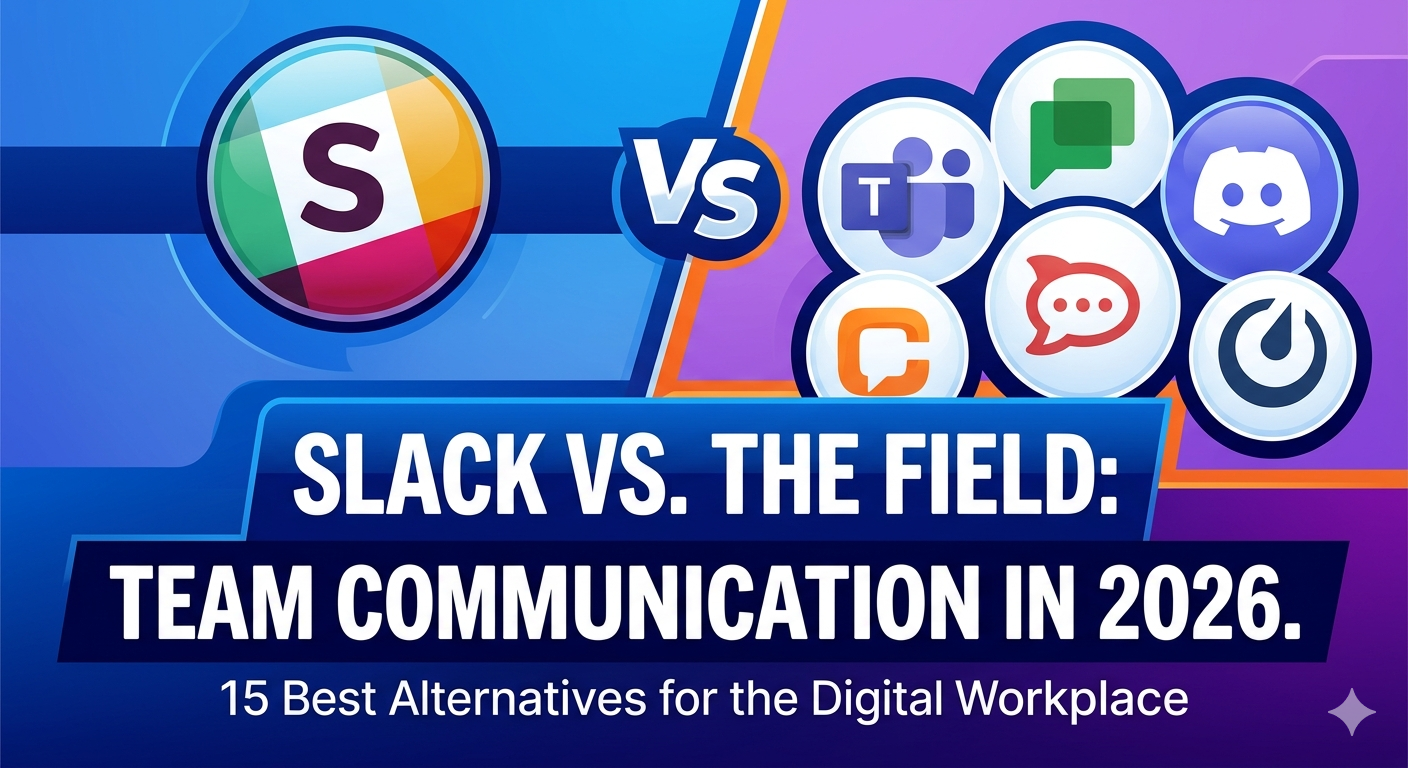
15 Best Slack Alternatives for businesses in 2026
What Is a Slack Alternative?
A Slack alternative is a cloud-based team communication platform that replaces Slack’s messaging, file sharing, and integration capabilities for workplace collaboration.
Slack is owned by Salesforce, confirmed in Salesforce’s December 2020 investor filing disclosing a $27.7 billion acquisition, and competes with 15 confirmed alternatives including Microsoft Teams, Mattermost, and Discord.
Why Do Teams Switch from Slack to Other Business Communication Software?
Teams switch from Slack to other business communication software due to 5 confirmed limitations: a 90-day free message history cap, a $7.25/user/month Pro plan cost, no native end-to-end encryption, a 10-app integration limit on the free plan, and notification fatigue in large teams.
These 5 limitations drive demand across 4 user personas: budget-conscious small teams, security-focused enterprises, DevOps teams requiring self-hosted infrastructure, and distributed remote teams relying on async communication.
Slack Pricing Limits Free Plan Users to 90 Days of Message History
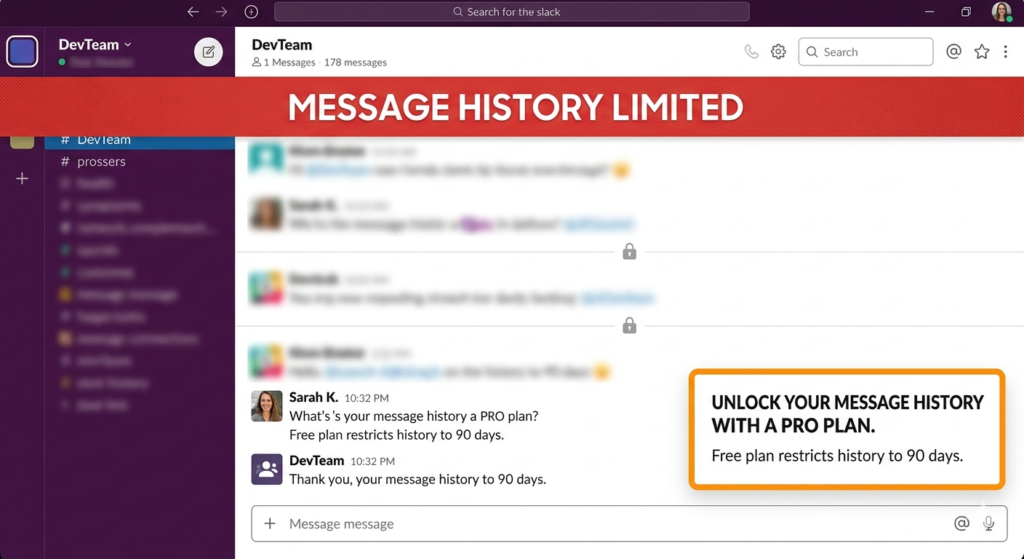
Slack’s free plan restricts message history to 90 days, permanently deleting all conversations beyond that threshold.
The Pro plan costs $7.25/user/month, the Business+ plan costs $12.50/user/month, and the Slack AI add-on costs an additional $15/user/month, with a minimum of 5 paid users required on any paid plan.
Slack Lacks End-to-End Encryption for Security-Sensitive Teams
Slack does not offer native end-to-end encryption, meaning all messages pass through Salesforce-controlled servers without client-side encryption protection.
Rocket.Chat, Element, and Signal each provide end-to-end encryption by default, making all 3 stronger choices for healthcare, government, and finance teams handling sensitive communications.
Slack Notification Fatigue Reduces Productivity in Large Teams
Notification fatigue is the productivity loss caused by constant, unfiltered message alerts in always-on communication platforms, confirmed in a 2023 study published by researchers at the University of California Irvine on workplace interruption costs.
Twist eliminates this problem through an async-first, threads-only structure, while Mattermost provides granular admin-level notification controls that Slack’s standard plans do not include.
Best Slack Alternatives for Team Communication in 2026
There are 15 best Slack alternatives for team communication in 2026, selected across 4 criteria: pricing, features, security requirements, and primary use case.
Each alternative below covers definition, core features, pricing, pros, and cons. For broader AI tool comparisons, see ChatGPT alternatives and Claude alternatives.
Microsoft Teams: Best Slack Alternative for Enterprise Organizations
300 million+ monthly active Microsoft Teams users, confirmed in Microsoft’s April 2023 earnings report, make it the most widely adopted Slack alternative in enterprise environments globally.
Microsoft Teams combines chat, video meetings, file collaboration, and task management inside the Microsoft 365 ecosystem, starting at $4/user/month standalone.
Pricing: The standalone plan starts at $4/user/month billed annually, which is 45% cheaper than Slack Pro at $7.25/user/month.
Teams is included in all Microsoft 365 Business bundles at no additional cost for existing subscribers.
Core features: Channels, 1:1 calls, group video for 300 participants, screen sharing, and native integration with SharePoint, OneDrive, Outlook, and Azure Active Directory.
Microsoft Copilot AI is available as a $21/user/month add-on. For teams evaluating this assistant, see Microsoft Copilot alternatives.
Best for: Enterprise organizations already subscribed to Microsoft 365 requiring HIPAA compliance, enterprise video, and SharePoint integration.
Pros:
- Zero additional cost for existing Microsoft 365 Business subscribers
- GDPR and HIPAA compliance with a Business Associate Agreement
- 300-participant video capacity on standard plans
Cons:
- Complex initial setup requiring dedicated IT staff for enterprise rollout
- Less intuitive chat history search compared to Slack’s search interface
Google Chat: Best Slack Alternative for Google Workspace Users
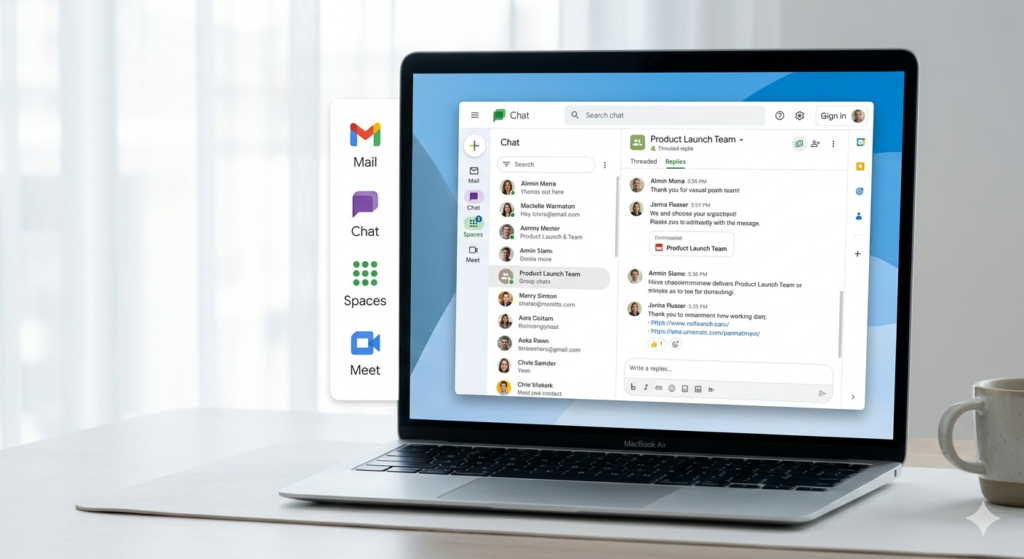
Google Chat is a team messaging platform integrated natively into Google Workspace, providing spaces, threaded replies, and powerful cross-message search powered by Google’s core search infrastructure.
The platform is included in every Google Workspace plan starting at $7/user/month, with no standalone plan available outside the Workspace subscription.
Pricing: Google Chat is included in Workspace Starter at $7/user/month, Business Standard at $14/user/month, and Business Plus at $22/user/month billed annually.
A Google Workspace subscription is required for full team feature access, as no standalone free version with business functionality exists.
Core features: Topic-based spaces, powerful search across all messages and Google Drive files, native bots, and direct integration with Gmail, Google Drive, Google Meet, and Google Docs.
Google Chat’s search locates any message, file, or document shared across the workspace instantly, using Google’s core search infrastructure.
Best for: Teams already using Google Workspace who want zero-friction communication inside their existing ecosystem.
Pros:
- Zero additional cost for existing Google Workspace subscribers
- Best-in-class message and file search powered by Google’s core infrastructure
- Seamless real-time collaboration on Google Docs and Sheets directly within Chat
Cons:
- No standalone plan available outside a full Google Workspace subscription
- Fewer third-party integrations compared to Slack’s 2,600+ app marketplace
Mattermost: Best Open Source Slack Alternative for Self-Hosted Teams
Open source, self-hosted deployment with confirmed HIPAA, GDPR, and SOC 2 compliance defines Mattermost as the primary Slack alternative for DevOps teams requiring full data sovereignty.
The US Department of Defense uses Mattermost as its primary team communication platform, confirmed by Mattermost’s official defense sector case studies published on their website.
Pricing: Mattermost Community Edition is free for self-hosted deployment with no user limits and no message history limits.
Enterprise Edition with HIPAA compliance, LDAP, and advanced admin controls requires a custom sales quote from the Mattermost sales team.
Core features: Channels, direct messages, automated playbooks, Kanban project boards, LDAP and SAML SSO, full Slack data import, and DevOps integrations with GitHub, GitLab, Jira, and PagerDuty.
Mattermost supports LDAP, Active Directory, SAML, and Okta SSO on Enterprise Edition, providing the broadest SSO compatibility of any open source Slack alternative.
Best for: DevOps and security-focused engineering teams needing on-premise deployment with HIPAA, GDPR, and SOC 2 compliance simultaneously.
Pros:
- Free Community Edition with unlimited users and unlimited message history on self-hosted servers
- Confirmed HIPAA, GDPR, and SOC 2 compliance on Enterprise Edition
- Deepest DevOps integration ecosystem including GitHub, GitLab, Jira, and Jenkins
Cons:
- No native voice or video calls, confirmed by developer community discussions, requiring a third-party plugin
- Free Community Edition without LDAP authentication or mobile push notifications
Rocket.Chat: Best Slack Alternative for Security and Compliance
End-to-end encryption by default, confirmed HIPAA and GDPR compliance, and air-gapped deployment capability define Rocket.Chat as the strongest Slack alternative for regulated industries.
The US Navy uses Rocket.Chat for secure team communication, confirmed by Rocket.Chat’s official client list, alongside US federal organizations requiring classified communication infrastructure.
Pricing: Rocket.Chat Community Edition is free for self-hosted deployment with no user limits and full E2E encryption included.
Enterprise Edition pricing requires a custom sales quote, with cloud-hosted plans available for teams without dedicated server infrastructure.
Core features: Omnichannel customer communication, end-to-end encryption by default, video conferencing via native Pexip integration, full Slack data bridge, and confirmed integrations with GitHub, AWS, Atlassian, and Zapier.
Rocket.Chat has 35,000+ GitHub contributors, confirmed on Rocket.Chat’s public GitHub repository, giving it the largest open source development community of any Slack alternative.
Best for: Healthcare teams, US federal organizations, and regulated industries requiring HIPAA compliance and end-to-end encryption simultaneously.
Pros:
- Confirmed HIPAA and GDPR compliance with US Navy adoption as a verified authority signal
- End-to-end encryption active by default across all channels and direct messages
- Full omnichannel support for customer-facing communication alongside internal team messaging
Cons:
- Enterprise pricing not publicly listed, requiring direct sales contact for a quote
- Higher server resource requirements compared to lighter self-hosted alternatives like Mattermost
Discord: Best Slack Alternative for Developer and Community Teams
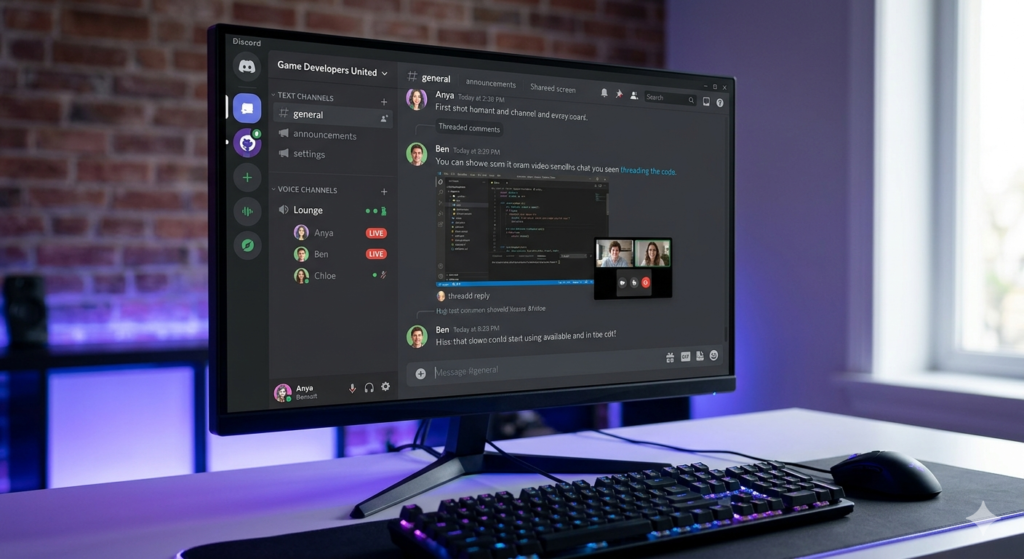
200 million+ monthly active Discord users, confirmed in Discord’s 2023 company announcement, make it the second largest communication platform by user count in this comparison.
Discord provides free voice, video, and text communication with always-on audio channels, unlimited message history, and no per-user pricing for standard team features. For a full feature breakdown, see the Slack vs Discord comparison.
Pricing: Discord’s core team and community features are completely free with no user limits and no message history restrictions.
Discord Nitro costs $2.49 to $10/month per individual as a personal enhancement subscription, not a per-user business plan, and is optional for standard team use.
Core features: Always-on voice channels, unlimited message history on free plan, roles and permission system, screen sharing, video calls, and threaded forum channels for organized discussion.
Discord’s bot ecosystem enables automated GitHub commit notifications, deployment alerts, and CI/CD status updates for developer teams at zero cost.
Best for: Developer communities, open source project teams, and technical teams wanting free always-on voice communication without enterprise compliance requirements.
Pros:
- Completely free for unlimited users with no message history restrictions
- Always-on voice channels eliminating the friction of scheduling calls
- 200M+ MAU confirming long-term platform stability and active development
Cons:
- No enterprise admin controls, compliance certifications, or HIPAA support
- No formal business workflow features including task management or CRM integration
Chanty: Best Slack Alternative for Small Teams on a Budget
75% lower cost than Slack with confirmed HIPAA, FINRA, and GDPR compliance makes Chanty the strongest budget-focused Slack alternative for regulated small teams.
Chanty provides unlimited message history with no time restrictions on its free plan, directly resolving Slack’s 90-day cap for teams of up to 5 users.
Pricing: Chanty’s free plan supports unlimited messaging and unlimited message history for teams of up to 5 users.
The Business plan costs $3/user/month billed annually, which is 59% cheaper than Slack Pro at $7.25/user/month.
Core features: Unlimited message history on free and paid plans, built-in Kanban task management with message-to-task conversion, voice messages, audio and video calls, and Teambook for centralized file and task access.
Chanty carries confirmed HIPAA, FINRA, and GDPR compliance certifications, covering healthcare, financial services, and European data protection simultaneously in one subscription.
Best for: Small teams under 10 people needing free, unlimited communication with built-in task management and compliance certifications.
Pros:
- Unlimited message history on free plan resolving Slack’s 90-day restriction
- Built-in Kanban task management eliminating a separate project management subscription
- HIPAA, FINRA, and GDPR compliance at 75% lower cost than Slack Pro
Cons:
- Free plan limited to 5 users, requiring a paid upgrade for larger teams
- Fewer third-party integrations than Slack’s 2,600+ app marketplace
Pumble: Best Free Slack Alternative with Unlimited Message History
$2.49/user/month is the confirmed cheapest paid Slack alternative price in this category, costing 66% less than Slack Pro at $7.25/user/month.
Pumble, by CAKE.com, provides unlimited message history, unlimited users, and unlimited channels on its permanently free plan with no time-based restrictions.
Pricing: Pumble’s free plan includes unlimited users, unlimited message history, and unlimited channels at no cost.
The paid plan starts at $2.49/user/month billed annually, with native integrations for Clockify and Plaky included at no additional cost.
Core features: Unlimited message history on free plan, persistent channels, direct messages, video calls, screen sharing, and native integrations with Clockify for time tracking and Plaky for project management.
CAKE.com provides all 3 tools as a free integrated productivity stack, giving teams time tracking, project management, and communication without separate subscriptions.
Best for: Budget-conscious teams switching from Slack’s free plan needing unlimited message history at the lowest possible paid upgrade cost.
Pros:
- Unlimited message history and unlimited users on the free plan
- $2.49/user/month paid plan as the lowest confirmed price in this category
- Native Clockify and Plaky integrations providing a free 3-tool productivity stack
Cons:
- Fewer enterprise security certifications compared to Chanty’s HIPAA and FINRA coverage
- Smaller integration marketplace than Slack or Microsoft Teams
Zoom Team Chat: Best Slack Alternative for Video-First Teams
1,000-participant video capacity on Enterprise plan gives Zoom Team Chat the highest confirmed video capacity of any tool in this comparison, which is 3x Microsoft Teams’ standard 300-participant limit.
Zoom Team Chat is part of Zoom Workplace, combining persistent messaging with Zoom’s video conferencing infrastructure starting at $13.33/month/host billed annually.
Pricing: Zoom’s free plan includes unlimited chat but limits video meetings to 40 minutes per session with a maximum of 100 participants.
The Pro plan costs $13.33/month/host billed annually, removing the 40-minute limit and expanding participant capacity to 300 per meeting.
Core features: Persistent chat channels synced with Zoom meetings, AI-generated meeting summaries via Zoom AI Companion, screen sharing, whiteboard collaboration, breakout rooms, and integration with Salesforce and HubSpot.
Zoom AI Companion generates automatic meeting summaries and action items after every recorded call, reducing manual post-meeting documentation.
Best for: Teams running high-volume video meetings wanting unified chat and video in a single platform without managing two separate subscriptions.
Pros:
- 1,000-participant video capacity on Enterprise plan, the highest in this comparison
- AI meeting summaries and action items reducing post-meeting documentation time
- Unified chat and video in a single subscription eliminating a separate tool cost
Cons:
- Chat as a secondary feature not built for deep async text-based team communication
- Per-host pricing model differing significantly from Slack’s per-user cost structure
Lark: Best All-in-One Slack Alternative for Remote Teams
Docs, video, chat, and calendar integrated in one platform define Lark as the strongest all-in-one Slack alternative for remote teams eliminating multiple separate tool subscriptions.
Lark is owned by ByteDance and competes with Microsoft Teams in Asia-Pacific and Western markets, with a free plan supporting teams of up to 20 users.
Pricing: Lark’s free plan supports teams of up to 20 users with video meetings, docs, and calendar included at no cost.
The paid plan costs $12/user/month for expanded storage, advanced admin controls, and higher video meeting capacity.
Core features: Integrated docs, video meetings for up to 500 participants, persistent chat, calendar, and task management in one platform, with real-time co-editing during live video calls without switching applications.
Lark Docs supports real-time co-editing during a live video call without switching applications, a workflow integration no other tool in this list replicates natively.
Best for: Remote teams needing an all-in-one platform to eliminate separate subscriptions for chat, video, and document collaboration.
Pros:
- Docs, video, chat, and calendar in one application eliminating tool-switching friction
- Free plan covering 20 users with full feature access including video meetings
- Asia-Pacific market leadership confirming platform reliability at scale
Cons:
- $12/user/month paid plan more expensive than most standalone chat alternatives
- ByteDance ownership creating data sovereignty concerns for some regulated Western markets
Element: Best Encrypted Slack Alternative for Privacy-Focused Teams
End-to-end encryption active by default using the Matrix Double Ratchet Algorithm, the same cryptographic protocol used by Signal and WhatsApp, defines Element as the strongest encrypted Slack alternative.
Element is built on the Matrix open standard, providing self-hosted deployment and federated cross-organization communication that no other tool in this list offers natively.
Pricing: Element is free to download and use as a cloud-hosted client with core features available at no cost.
On-premise deployment via the Element Server Suite requires a custom enterprise pricing quote from the Element sales team.
Core features: E2E encryption active by default, Matrix federation for cross-server communication, bridges to Slack, IRC, and Telegram, self-hosted deployment, and rooms-based channel organization.
Element’s federated architecture allows organizations to maintain complete data sovereignty while communicating externally with other Matrix-compatible servers.
Best for: Government, healthcare, and privacy-first organizations needing sovereign communication with self-hosted E2E encryption and GDPR compliance.
Pros:
- E2E encryption on by default with no manual configuration required
- Matrix federation enabling cross-organization encrypted communication without shared platform accounts
- Open source codebase allowing independent security auditing by qualified researchers
Cons:
- Technical interface confirmed by developer community discussions as unsuitable for non-developer users
- On-premise deployment requiring dedicated server infrastructure and IT expertise
Twist: Best Slack Alternative for Async Team Communication
Threads-only structure with no always-on channels defines Twist as the strongest async-first Slack alternative, structurally eliminating notification fatigue for distributed teams.
Twist is built by Doist, a confirmed remote-first company that operates across multiple time zones, and is available with a free plan for small teams.
Pricing: Twist offers a free plan with limited thread history for teams starting with async communication.
The Unlimited plan costs $6/user/month billed annually for full message history access and unlimited integrations.
Core features: Threads-only async structure with no always-on channels, topic-based conversation organization, Zapier and GitHub integration, and a distraction-free interface designed for deep work periods.
Twist is confirmed effective for distributed teams across 3 or more time zones, where real-time communication creates exclusion for team members outside the primary working hours window.
Best for: Distributed teams across 3 or more time zones where notification fatigue from Slack’s real-time channels is a confirmed productivity problem.
Pros:
- Threads-only structure structurally eliminating always-on notification pressure
- Async model working across any time zone combination without excluding team members
- Doist’s confirmed remote-first operations validating the platform’s async design
Cons:
- No native voice or video calls, requiring a separate tool like Zoom for synchronous meetings
- Async-only model unsuitable for teams requiring real-time decision-making communication
Zulip: Best Slack Alternative for Async Open Source Communication
Topic-based stream threading with a native Slack data importer defines Zulip as the strongest open source async Slack alternative for communities requiring structured searchable archives.
Zulip operates under the Apache 2.0 open source license and is adopted by the Rust Foundation, Python Software Foundation, and Django Software Foundation communities.
Pricing: Zulip offers a free cloud plan with full features for open source projects and academic institutions.
The Standard plan costs $6.67/user/month billed annually for business teams requiring priority support and advanced admin controls.
Core features: Topic-based stream threading, web and mobile apps, native Slack data import via CLI tool, self-hosted deployment with unlimited message history, and integrations with GitHub, Jira, and PagerDuty.
Zulip’s topic-based structure preserves full conversation context for team members across all time zones, enabling any member to read a complete discussion sequentially regardless of when they join it.
Best for: Async-first teams and open source communities needing a structured, searchable self-hosted communication archive with confirmed Slack migration support.
Pros:
- Topic-based threading creating a structured searchable async archive of all team communication
- Native Slack importer preserving full message history and channel structure during migration
- Apache 2.0 license and self-hosted deployment providing full data ownership
Cons:
- No native voice or video calls, requiring a separate video conferencing tool
- Smaller third-party integration marketplace compared to Slack, Teams, or Discord
Zoho Cliq: Best Slack Alternative for Zoho Ecosystem Users
Native integration with 50+ Zoho products including Zoho CRM, Zoho Projects, and Zoho Mail defines Zoho Cliq as the strongest Slack alternative for businesses already inside the Zoho ecosystem.
Zoho Cliq runs paid advertisements on the “slack alternatives” SERP, confirming its direct commercial positioning as a Slack competitor targeting teams actively evaluating switching options.
Pricing: Zoho Cliq’s free plan includes unlimited users and unlimited message history with access to core chat features.
The paid plan costs $3/user/month billed annually, which is 59% cheaper than Slack Pro at $7.25/user/month.
Core features: Commands and bots for triggering Zoho CRM actions directly from chat, status broadcasting, audio and video calls, screen sharing, and native integration with Zoho CRM, Zoho Projects, and Zoho Mail.
Zoho Cliq’s command interface allows sales teams to create CRM deals and update pipeline stages directly from a chat message without opening the Zoho CRM dashboard.
Best for: Businesses already subscribed to one or more Zoho products wanting native communication without adding a separate messaging tool subscription.
Pros:
- Native integration with 50+ Zoho products eliminating manual data sync between tools
- Unlimited users with no message history restrictions on the free plan
- $3/user/month paid plan among the most affordable business-grade options available
Cons:
- Limited value for teams outside the Zoho ecosystem as integrations are Zoho-centric
- Fewer third-party app integrations compared to Slack or Microsoft Teams
Bitrix24: Best Slack Alternative for SMBs Needing CRM and Communication
Unlimited users, unlimited storage, and built-in CRM all on a permanently free plan define Bitrix24 as the most feature-rich free Slack alternative for SMBs needing consolidated tools.
Bitrix24 combines team chat, CRM, task management, HR tools, and project management in a single subscription, eliminating multiple separate tool costs.
Pricing: Bitrix24’s free plan supports unlimited users with full access to chat, CRM, and task management features at no cost.
The Basic paid plan costs $49/flat/month for 5 users, a flat-rate model not per-user pricing, making it significantly more affordable for small fixed-size teams.
Core features: Team chat with channels, video calls, and unlimited message history, built-in CRM with lead management and deal pipelines, Kanban boards, Gantt charts, and HR tools including absence tracking and employee directory.
Bitrix24’s built-in CRM eliminates the need for a separate HubSpot or Pipedrive subscription, consolidating sales pipeline management and team communication into one platform cost.
Best for: SMBs needing CRM, team messaging, and project management consolidated into one platform to eliminate multiple separate tool subscriptions.
Pros:
- Most feature-rich free plan with unlimited users, unlimited storage, and built-in CRM
- Flat-rate pricing model eliminating per-user cost scaling for small fixed-size teams
- Built-in CRM removing the need for a separate HubSpot or Pipedrive subscription
Cons:
- Interface complexity significantly higher than dedicated messaging tools like Slack or Chanty
- Free plan performance degrading noticeably as team size and data volume increase
Free Slack Alternatives with Unlimited Message History
Pumble, Chanty, Discord, and Bitrix24 are 4 free Slack alternatives with unlimited message history and no time restriction on their free plans.
Slack’s free plan permanently deletes all conversations older than 90 days, causing unrecoverable data loss for teams that do not upgrade to a paid plan.
Which Free Slack Alternatives Have No Message Limit?
Pumble, Chanty, Discord, and Bitrix24 provide unlimited free message history with no 90-day deletion threshold, unlike Slack’s free plan which permanently removes messages after 90 days.
Mattermost and Rocket.Chat also provide unlimited free message history, but both require self-hosted server deployment as their free tier is the Community Edition, not a cloud-hosted plan.
| Tool | Free Plan | Message History | Max Free Users | Paid Price |
| Pumble | Y | Unlimited | Unlimited | $2.49/user/month |
| Chanty | Y | Unlimited | Unlimited | $3/user/month |
| Discord | Y | Unlimited | Unlimited | $2.49/month (Nitro, personal) |
| Bitrix24 | Y | Unlimited | Unlimited | $49/flat/month (5 users) |
| Mattermost | Y (self-hosted) | Unlimited | Unlimited | Contact sales |
| Rocket.Chat | Y (self-hosted) | Unlimited | Unlimited | Contact sales |
| Slack | Y | 90 days only | Unlimited | $7.25/user/month |
Cheapest Paid Slack Alternatives Under $5 Per User Per Month
Pumble at $2.49/user/month is the confirmed cheapest paid Slack alternative, costing 66% less than Slack Pro while providing unlimited message history on both free and paid plans.
3 paid Slack alternatives are available under $5/user/month: Pumble at $2.49, Chanty at $3, and Microsoft Teams at $4, with all 3 providing unlimited message history that Slack’s free plan does not offer.
| Tool | Paid Price | Free Plan | Message History on Free | Key Differentiator |
| Pumble | $2.49/user/month | Y | Unlimited | Lowest confirmed paid price |
| Chanty | $3/user/month | Y | Unlimited | HIPAA, FINRA, GDPR compliance |
| Zoho Cliq | $3/user/month | Y | Limited | Zoho ecosystem integration |
| Microsoft Teams | $4/user/month | Y | Unlimited | Microsoft 365 bundle inclusion |
| Flock | $4.50/user/month | Y | 10,000 messages | Built-in productivity tools |
| Slack Pro | $7.25/user/month | Y | 90 days | 2,600+ third-party integrations |
Free Open Source Slack Alternatives for Self-Hosted Teams
5 free open source Slack alternatives exist for self-hosted deployment: Mattermost, Rocket.Chat, Matrix/Element, Zulip, and Nextcloud Talk, each providing unlimited message history and full data ownership.
The key difference between free SaaS alternatives and open source self-hosted alternatives is data ownership: open source tools store all communication data on organization-controlled servers, not on a vendor’s cloud infrastructure.
What Is a Self-Hosted Slack Alternative?
A self-hosted Slack alternative is a team communication software deployed on organization-controlled servers rather than a vendor’s cloud infrastructure, giving the organization complete ownership of all communication data.
Self-hosting provides 2 confirmed benefits: full data sovereignty and zero vendor lock-in, but requires dedicated server infrastructure managed by qualified technical staff.
Mattermost vs Rocket.Chat vs Matrix: 3 Open Source Slack Alternatives Compared
Mattermost, Rocket.Chat, and Matrix/Element are the 3 most widely deployed open source Slack alternatives, serving distinct primary use cases: DevOps teams, regulated industries, and sovereign communications respectively.
Matrix is the open standard protocol and Element is its front-end client application, meaning both are deployed together as a single communication solution rather than as separate independent tools.
| Tool | Hosting | E2E Encryption | Voice/Video | Compliance | Best For |
| Mattermost | Self-hosted + cloud | Y (Enterprise) | N (no native) | HIPAA, GDPR, SOC 2 | DevOps teams |
| Rocket.Chat | Self-hosted + cloud | Y (default) | Y (via Pexip) | HIPAA, GDPR | Federal and healthcare |
| Matrix/Element | Self-hosted + cloud | Y (default) | Y | GDPR | Sovereign communications |
| Zulip | Self-hosted + cloud | N | N | None confirmed | Async and academic |
| Nextcloud Talk | Self-hosted | Y | Y | GDPR | File sync teams |
Which Slack Alternatives Provide Secure Self-Hosted Chat for Regulated Teams?
Rocket.Chat, Element, and Signal are the 3 secure self-hosted chat platform alternatives providing end-to-end encryption by default, each serving distinct regulated industry requirements across healthcare, government, and finance.
Slack does not offer native end-to-end encryption, meaning all messages pass through Salesforce-controlled servers without client-side encryption protection.
HIPAA-Compliant Slack Alternatives for Healthcare Teams
HIPAA is the US federal law requiring healthcare organizations to protect the privacy and security of patient health information in all communication systems including team messaging platforms.
Slack is not natively HIPAA-compliant, while Rocket.Chat and Chanty provide confirmed HIPAA compliance as a built-in platform feature without requiring additional configuration.
| Tool | HIPAA | GDPR | FINRA | E2E Encryption | Self-Hosted |
| Rocket.Chat | Y | Y | N | Y (default) | Y |
| Chanty | Y | Y | Y | N | N |
| Mattermost | Y (Enterprise) | Y | N | Y (Enterprise) | Y |
| Microsoft Teams | Y (with BAA) | Y | Y | N (default) | N |
| Element | N | Y | N | Y (default) | Y |
| Slack | N | Y | N | N | N |
End-to-End Encrypted Slack Alternatives for Privacy-Sensitive Organizations
End-to-end encryption is a communication security standard where messages are encrypted on the sender’s device and decrypted only on the recipient’s device, making it technically impossible for platform providers or third parties to read message content.
Element and Signal provide E2E encryption active by default without manual configuration, using the Double Ratchet Algorithm confirmed as the industry standard by independent security researchers.
| Tool | E2E Protocol | Default On | Self-Hosted | Open Source |
| Element | Matrix Double Ratchet | Y | Y | Y |
| Signal | Signal Double Ratchet | Y | N | Y |
| Rocket.Chat | Custom E2E | Y | Y | Y |
| Mattermost | Custom E2E (Enterprise only) | N | Y | Y |
| Telegram | MTProto 2.0 | Secret Chats only | N | N |
| Slack | None | N | N | N |
GDPR-Compliant Team Communication Tools for European Teams
GDPR is the European Union’s data protection law enacted in 2018, requiring all organizations processing EU residents’ personal data to meet strict standards for data storage, access, and deletion.
Slack is GDPR-compliant but stores all communication data on US-based servers, creating a data transfer risk for EU organizations subject to strict EU data residency requirements.
| Tool | GDPR Compliant | EU Data Residency | Self-Hosted Option | Data Transfer Risk |
| Mattermost | Y | Y (self-hosted) | Y | None (self-hosted) |
| Rocket.Chat | Y | Y (self-hosted) | Y | None (self-hosted) |
| Element | Y | Y (self-hosted) | Y | None (federated) |
| Microsoft Teams | Y | Y (EU Data Boundary) | N | Low |
| Slack | Y | N | N | Medium-High |
Best Slack Alternatives for Small Teams and Startups
Small teams and startups evaluating Slack alternatives share 3 confirmed selection criteria: team size under 50 people, a limited or zero budget for communication tools, and no enterprise compliance requirement.
Slack’s free plan creates 3 specific barriers for small teams: a 90-day message history cap, a 10-app integration limit, and no guest access, all 3 resolved by the alternatives covered below.
Which Slack Alternative Is Best for Teams Under 10 People?
Chanty, Pumble, and Discord are the 3 best Slack alternatives for teams under 10 people, each providing unlimited message history, unlimited users, and core communication features at no cost.
All 3 tools eliminate Slack’s 90-day message history restriction on their free plans, which is the single most cited reason small teams switch from Slack according to developer community discussions.
| Tool | Max Free Users | Message History | Key Free Feature | Paid Price |
| Chanty | Unlimited | Unlimited | Built-in Kanban tasks | $3/user/month |
| Pumble | Unlimited | Unlimited | Unlimited channels | $2.49/user/month |
| Discord | Unlimited | Unlimited | Always-on voice channels | Free (Nitro optional) |
| Slack | Unlimited | 90 days | 2,600+ integrations | $7.25/user/month |
Team Communication Tools for Remote Work
Async-first tools including Twist, Zulip, and Basecamp eliminate always-on presence expectations, while video-first tools including Zoom, Lark, and Microsoft Teams provide high-capacity video conferencing for distributed teams.
Distributed teams across multiple time zones require communication tools solving 2 distinct problems: reducing real-time dependency and providing reliable video infrastructure for scheduled synchronous meetings.
Async Communication Tools That Replace Slack for Remote Teams
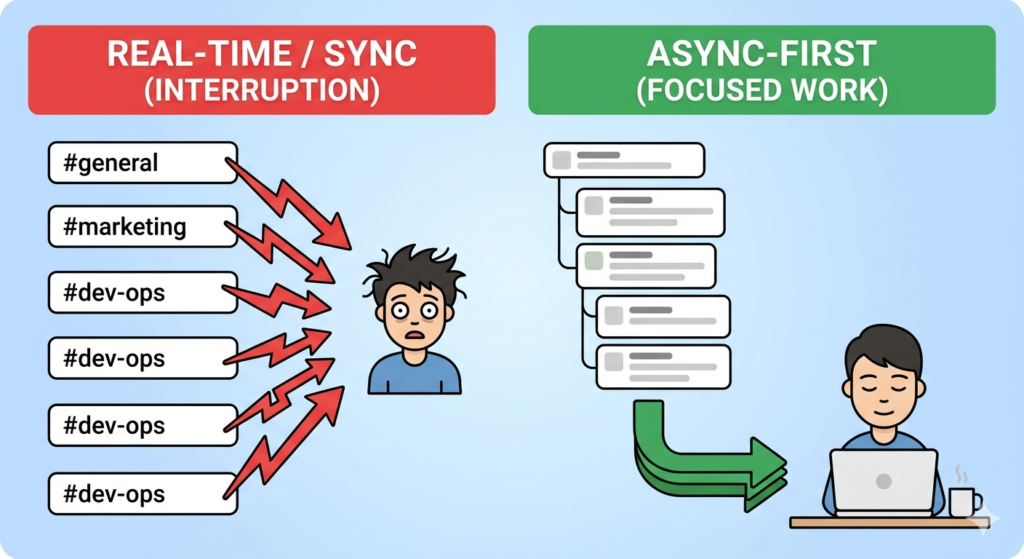
Async communication is a team messaging model where messages are sent and read at different times without requiring an immediate response, eliminating the always-on presence expectation causing notification fatigue in distributed teams.
Twist, Zulip, and Basecamp each provide confirmed async-first communication models, removing the 2 structural causes of notification fatigue: always-on voice channels and real-time message indicators creating implicit pressure to respond immediately.
| Tool | Async Model | Voice/Video | Free Plan | Best For |
| Twist | Threads-only, no channels | N | Y | Distributed teams, 3+ time zones |
| Zulip | Topic-based stream threading | N | Y (self-hosted) | Academic and open source teams |
| Basecamp | Message boards and check-ins | N | N ($299/month flat) | Project-based async workflows |
| Slack | Real-time channels and threads | Y (Huddles) | Y (90-day limit) | General team communication |
Slack Alternatives with Video Conferencing for Distributed Teams
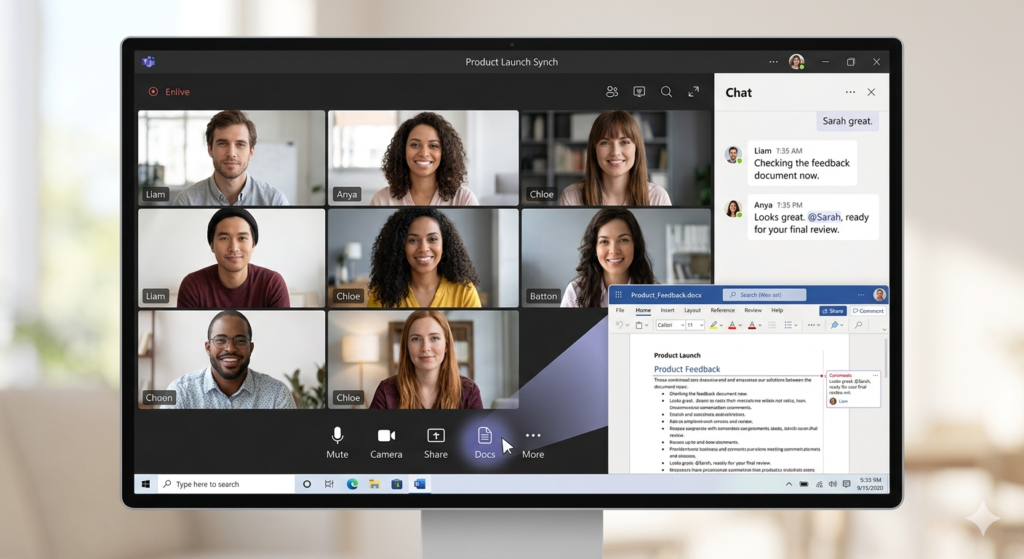
Slack Huddles are audio-first with limited video capability, designed for informal audio check-ins rather than structured video meetings with large distributed teams.
Zoom Team Chat at 1,000 participants enterprise, Lark at 500 participants, and Microsoft Teams at 300 participants on standard plans each provide confirmed video capacity that Slack Huddles does not match.
| Tool | Max Video Participants | Free Video | AI Meeting Features | Best For |
| Zoom Team Chat | 1,000 (Enterprise) | 100 (40-min limit) | Y (AI Companion) | High-volume video meetings |
| Microsoft Teams | 1,000 (Enterprise) | 100 | Y (Copilot, $21/month) | Enterprise video and chat |
| Lark | 500 | 20 users free | Y (built-in) | Remote all-in-one teams |
| Slack Huddles | 50 | Y | N | Quick audio check-ins |
Slack Alternatives Comparison: Features, Pricing, and Integrations
The 15 Slack alternatives differ across 4 confirmed dimensions: pricing and free plan generosity, security and encryption features, hosting flexibility, and primary use case alignment.
3 separate comparison tables below present this data in structured format, each answering a distinct decision question to reduce the cost of retrieval for both human readers and search engine parsers.
Slack Alternatives Comparison Table by Pricing and Free Plan
Pumble at $2.49/user/month is the confirmed cheapest paid Slack alternative, costing 66% less than Slack Pro at $7.25/user/month while providing unlimited message history on both free and paid plans.
8 of the 15 Slack alternatives provide unlimited message history on their free plans, compared to Slack’s 90-day cap permanently deleting all messages beyond the threshold.
| Tool | Free Plan | Message History on Free | Paid Starting Price | Max Free Users |
| Pumble | Y | Unlimited | $2.49/user/month | Unlimited |
| Discord | Y | Unlimited | $2.49/month (Nitro, personal) | Unlimited |
| Chanty | Y | Unlimited | $3/user/month | Unlimited |
| Zoho Cliq | Y | Limited | $3/user/month | Limited |
| Microsoft Teams | Y | Unlimited | $4/user/month | Limited |
| Flock | Y | 10,000 messages | $4.50/user/month | 20 |
| Zulip | Y (self-hosted) | Unlimited | $6.67/user/month | Unlimited |
| Google Chat | With Workspace | Unlimited | $7/user/month (Workspace) | N/A |
| Slack | Y | 90 days | $7.25/user/month | Unlimited |
| Lark | Y | Unlimited | $12/user/month | Limited |
| Zoom Team Chat | Y (40-min limit) | Unlimited | $13.33/month/host | 100 |
| Bitrix24 | Y | Unlimited | $49/flat/month (5 users) | Unlimited |
| Mattermost | Y (self-hosted) | Unlimited | Contact sales | Unlimited |
| Rocket.Chat | Y (self-hosted) | Unlimited | Contact sales | Unlimited |
| Element | Y | Unlimited | Custom enterprise | Unlimited |
Slack Alternatives Comparison Table by Features and Integrations
Element and Rocket.Chat are the only 2 tools in this comparison providing end-to-end encryption active by default combined with self-hosted deployment and open source code.
Slack provides the largest third-party integration marketplace at 2,600+ apps, but 8 of the 15 alternatives provide open APIs enabling custom integrations beyond any pre-built marketplace.
| Tool | E2E Encryption | Self-Hosting | Native Video | API Available | Top Integrations |
| Element | Y (default) | Y | Y | Y | Matrix bridges, Slack bridge |
| Rocket.Chat | Y (default) | Y | Y (Pexip) | Y | GitHub, AWS, Atlassian |
| Mattermost | Y (Enterprise) | Y | N (no native) | Y | GitHub, Jira, Jenkins |
| Microsoft Teams | N (default) | N | Y (300 participants) | Y | SharePoint, OneDrive, Copilot |
| Google Chat | N | N | Y (Google Meet) | Y | Gmail, Drive, Meet |
| Discord | N | N | Y | Y | GitHub, Zapier, Twitch |
| Chanty | N | N | Y | Y | Zapier, Trello, GitHub |
| Pumble | N | N | Y | Y | Zapier, GitHub, GitLab |
| Slack | N | N | Y (Huddles, audio-first) | Y | 2,600+ apps |
Slack Alternatives Comparison Table by Use Case and Team Size
Microsoft Teams and Mattermost serve the largest enterprise deployments, confirmed at Fortune 500 and US federal government scale respectively, while Pumble and Chanty serve the smallest team size range most cost-effectively.
No single Slack alternative addresses all 4 decision factors simultaneously: cost, security, ecosystem, and communication model each point to different optimal tools.
| Tool | Best For | Ideal Team Size | Hosting Type | Compliance Certs |
| Microsoft Teams | Enterprise and Microsoft 365 | 50 to 10,000+ | SaaS | GDPR, HIPAA (BAA) |
| Google Chat | Google Workspace users | 10 to 5,000 | SaaS | GDPR |
| Mattermost | DevOps and self-hosted | Any size | Both | HIPAA, GDPR, SOC 2 |
| Rocket.Chat | Healthcare and federal | Any size | Both | HIPAA, GDPR |
| Discord | Developer and community | 5 to 500 | SaaS | None |
| Chanty | Small teams and budget | 1 to 50 | SaaS | HIPAA, FINRA, GDPR |
| Pumble | Budget-conscious SMBs | 1 to 200 | SaaS | None confirmed |
| Zoom Team Chat | Video-first teams | 10 to 1,000 | SaaS | HIPAA, GDPR |
| Element | Privacy and sovereign | Any size | Both | GDPR |
| Lark | Remote all-in-one teams | 10 to 1,000 | SaaS | GDPR |
| Zulip | Async and open source | Any size | Both | None confirmed |
| Twist | Async remote teams | 5 to 200 | SaaS | None confirmed |
Which Slack Alternative Is Right for Your Team?
The right Slack alternative depends on 4 confirmed factors: team size, monthly budget per user, security and compliance requirements, and primary communication use case.
No single tool addresses all 4 dimensions simultaneously, making the 5 decision frameworks below the most reliable guide for selecting the correct alternative for a specific team context.
Choose Microsoft Teams If Your Organization Uses Microsoft 365
Microsoft Teams at $4/user/month is the strongest Slack alternative for Microsoft 365 organizations, delivering enterprise-grade video, chat, and file collaboration at zero additional cost for existing Microsoft 365 subscribers.
Teams’ inclusion in Microsoft 365 Business Basic at $6/user/month makes it the default rational choice for any organization already inside the Microsoft ecosystem. For teams evaluating the AI assistant add-on, see Microsoft Copilot alternatives.
Choose Microsoft Teams if:
- Your organization already pays for Microsoft 365 Business or Enterprise as Teams is included at no extra cost
- Your team requires enterprise video conferencing for 300+ participants without a separate Zoom subscription
- Your compliance requirements include HIPAA with a Business Associate Agreement
Choose Mattermost or Rocket.Chat If Your Team Needs Self-Hosted Communication
Mattermost for DevOps teams and Rocket.Chat for compliance-regulated industries are the 2 strongest self-hosted Slack alternatives, each confirmed at the highest levels of government and federal use.
Both tools provide unlimited message history, open source codebases, and full data sovereignty through on-premise deployment, 3 attributes no SaaS-based Slack alternative can match simultaneously.
Choose Mattermost if:
- Your team operates in a DevOps environment requiring deep GitHub, Jira, and Jenkins integration with on-premise data control
- Your compliance requirements include HIPAA, GDPR, and SOC 2 simultaneously on a self-hosted infrastructure
- Your team has dedicated IT infrastructure and technical staff capable of managing self-hosted server deployment
Choose Rocket.Chat if:
- Your organization operates in healthcare, defense, or a regulated federal environment requiring HIPAA compliance with E2E encryption by default
- Your team requires omnichannel customer communication alongside internal team messaging on the same platform
- Your deployment environment requires air-gapped operation with zero outbound internet traffic
Choose Pumble or Chanty If Your Team Has a Limited Budget
Pumble at $2.49/user/month and Chanty at $3/user/month are the 2 most affordable Slack alternatives with unlimited message history on their free plans, directly resolving Slack’s 90-day cap without any paid subscription. For a community communication comparison, see Slack vs Discord.
Chanty adds HIPAA, FINRA, and GDPR compliance at a price point 75% below Slack Pro, making it the strongest budget option for regulated small teams.
Choose Pumble if:
- Your team requires unlimited users, unlimited message history, and unlimited channels at the lowest possible paid price point
- Your team uses Clockify for time tracking or Plaky for project management as Pumble integrates natively with both at no additional cost
- Your budget constrains communication tool spending to under $3/user/month on a paid plan
Choose Chanty if:
- Your team needs built-in Kanban task management alongside messaging, eliminating a separate Trello or Asana subscription
- Your industry requires HIPAA, FINRA, or GDPR compliance at a price point 75% below Slack Pro
- Your team size is under 5 users as Chanty’s free plan covers unlimited messaging within this limit
Choose Twist or Zulip If Your Team Relies on Async Communication
Twist’s threads-only architecture is the strongest async-first Slack alternative for distributed teams, while Zulip’s topic-based threading serves open source communities and academic organizations requiring structured async archives.
Both tools remove the always-on presence expectation that Slack’s real-time channel model creates, making both measurably better for teams distributed across 3 or more time zones.
Choose Twist if:
- Your team is distributed across 3 or more time zones and notification fatigue from Slack channels is a confirmed productivity problem
- Your communication model prioritizes focused, threaded topic discussions over real-time broadcast messaging
- Your team does not require native voice or video calls as Twist has no built-in audio or video feature
Choose Zulip if:
- Your team is an open source project, academic organization, or technical community requiring a structured searchable async communication archive
- Your compliance or privacy requirements favor a self-hosted open source platform with Apache 2.0 licensing
- Your team needs to import existing Slack message history as Zulip provides a native CLI-based Slack importer preserving full message threading
Choose Element or Signal If Your Team Requires End-to-End Encryption
Element’s Matrix Double Ratchet encryption by default with self-hosted deployment makes it the strongest encrypted Slack alternative for organizations requiring sovereign communication infrastructure.
Signal’s industry-standard Double Ratchet Protocol provides the most user-friendly E2E encrypted messaging for small teams handling sensitive data without enterprise infrastructure management.
Choose Element if:
- Your organization handles sensitive data in healthcare, legal, government, or defense sectors requiring E2E encryption combined with self-hosted or air-gapped deployment
- Your compliance requirements include GDPR with EU data residency as Element’s federated Matrix architecture stores all data on organization-controlled servers
- Your team needs to communicate securely with external organizations as Element’s Matrix federation enables cross-server E2E encrypted communication without requiring all parties to use the same platform
Choose Signal if:
- Your team handles sensitive communications requiring the strongest possible E2E encryption in a simple, low-friction interface without enterprise infrastructure management
- Your team size is small as Signal is optimized for teams under 50 people and does not provide the enterprise admin controls or SSO required for large organizations
- Your primary use case is secure direct messaging and small group communication rather than large-scale multi-channel team coordination
For teams evaluating workflow automation tools alongside a Slack alternative, see n8n vs Zapier automation comparison and n8n alternatives for workflow automation. For teams considering project management alongside communication, see Notion vs Trello comparison and Notion alternatives.