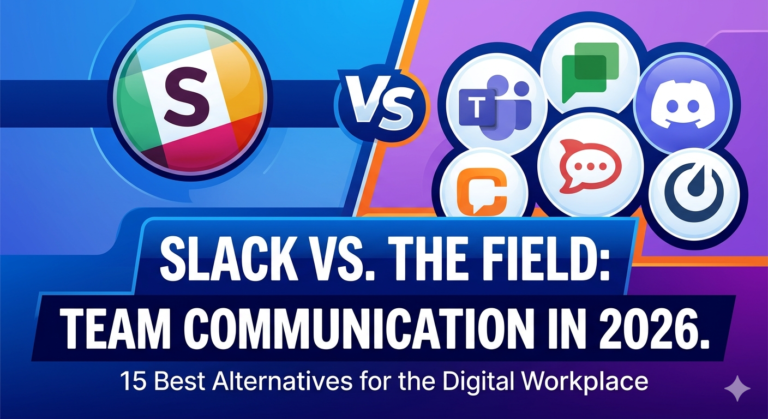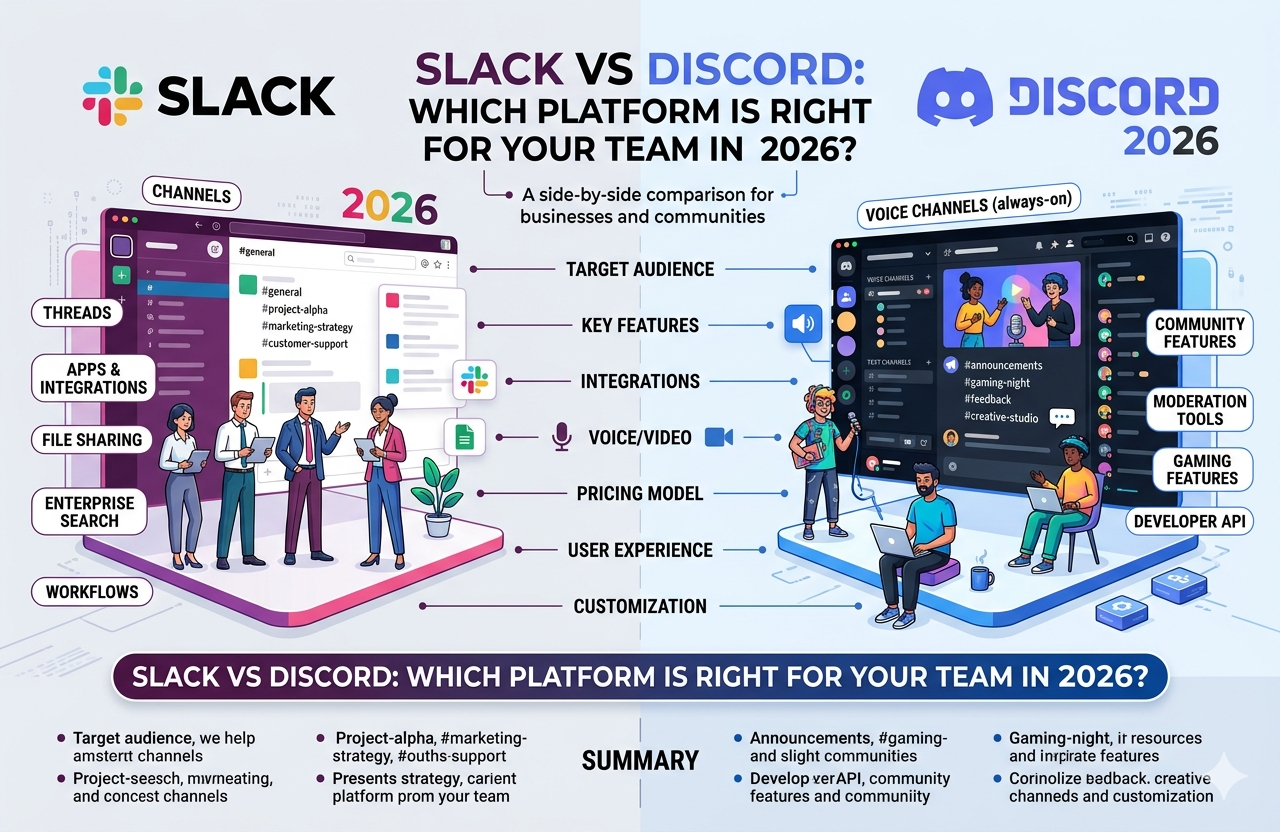
Slack vs Discord: Which Platform Is Right for Your Team in 2026?
Slack is a business-focused messaging platform owned by Salesforce, with 47.2 million daily active users in 2026. Discord is a community and gaming communication platform with 26.5 million daily active users and 656 million registered accounts.
Slack suits enterprise teams requiring compliance, integrations, and structured workflows. Discord suits gaming communities, startups, and creators needing free, voice-first communication with unlimited message history.
What Is the Core Difference Between Slack and Discord?
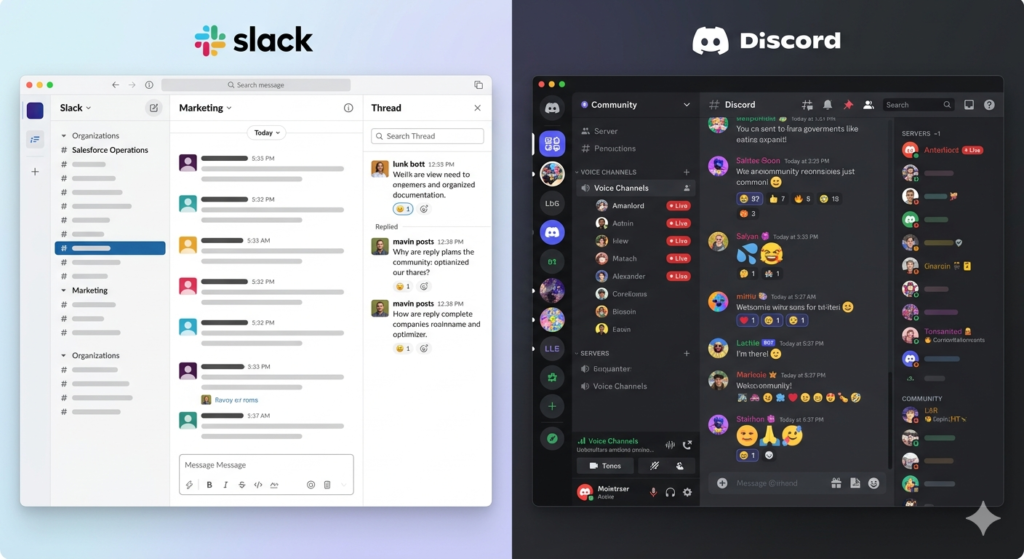
Slack organizes communication into workspaces and channels, designed for structured business documentation and productivity workflows. Discord organizes communication into servers and channels, designed for real-time community interaction and persistent voice presence.
Slack is a productivity-first platform; Discord is a community-first platform. Slack prioritizes searchable, threaded conversations, while Discord prioritizes low-latency voice and ambient social connection.
| Aspect | Slack | Discord |
| Structure | Workspaces + Channels | Servers + Channels |
| Primary Use | Business teams | Gaming and communities |
| Ownership | Salesforce | Independent |
| Focus | Async documentation | Real-time presence |
| DAUs 2026 | 47.2 million | 26.5 million |
How Does Slack Compare to Discord on Key Features?
Slack and Discord differ across 6 core feature areas: channels, voice, file sharing, search, threading, and integrations. Slack leads in productivity features, while Discord leads in voice quality and community tools.
| Feature | Slack | Discord |
| Text Chat | Threads, Canvases, 1GB uploads | Forum Channels, 10MB uploads |
| Voice/Video | Huddles (50 audio, 12 video) | Voice Channels (100+ enterprise) |
| File Limit | 1GB free, 5GB Pro | 10MB free, 500MB Nitro |
| Message History | 90-day free, unlimited paid | Unlimited free |
| Integrations | 2,600+ SaaS apps | 12M+ community bots |
| Search | AI-powered across apps | Basic keyword search |
How Do Slack Channels and Discord Channels Differ in Structure?
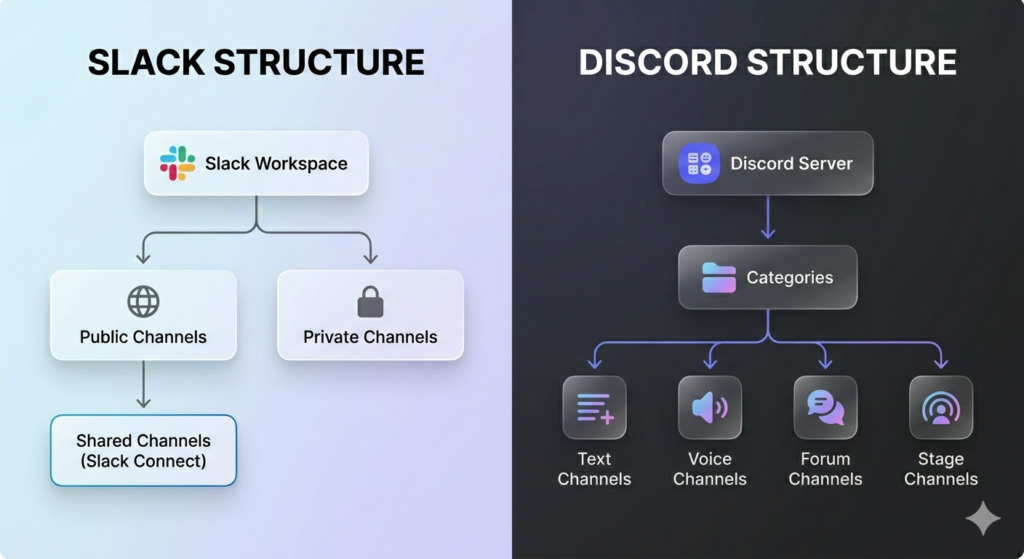
Slack channels come in 3 types: public, private, and shared via Slack Connect, supporting collaboration with up to 250 external organizations. Discord channels come in 4 types: text, voice, forum, and announcement, with Reaction Roles automating community onboarding at scale.
Slack’s channel structure is hierarchical and documentation-focused, designed for corporate team workflows. Discord’s channel structure is modular and presence-focused, designed for open community engagement and gaming groups.
Which Platform Offers Better Voice and Video Communication?
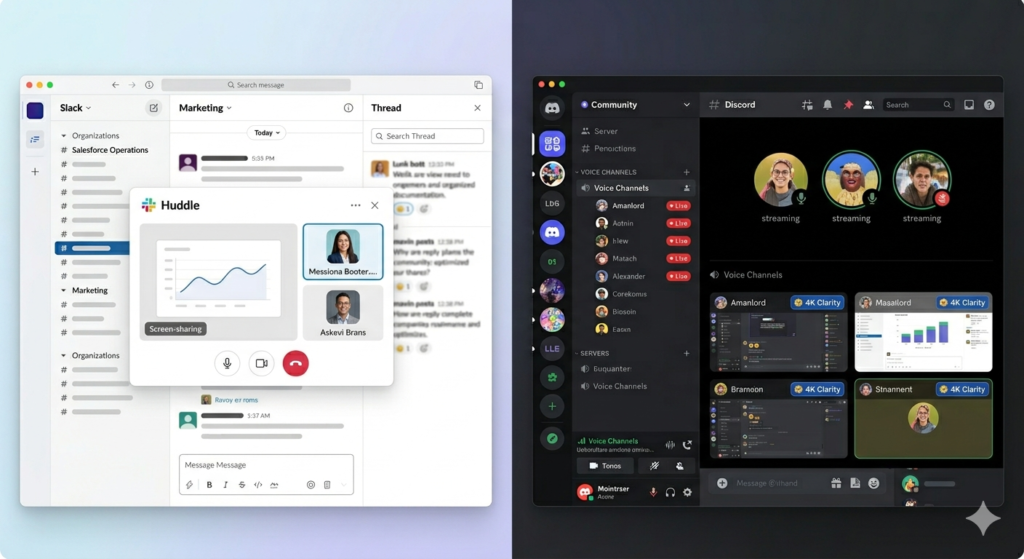
Discord leads with persistent, low-latency voice channels supporting 100+ enterprise video participants. Slack Huddles support 50 audio and 12 simultaneous video participants, optimized for small-group professional meetings.
Discord’s always-on voice channels allow users to see active participants before joining, enabling spontaneous collaboration. Slack Huddles prioritize quick, workflow-integrated calls rather than ambient persistent presence across teams.
How Does File Sharing Work on Slack vs Discord?
Slack free allows 1GB uploads per file; Discord free limits uploads to 10MB per file. Slack Pro increases storage to 5GB per user, while Discord Nitro at $9.99/month increases uploads to 500MB.
| Tier | Slack | Discord |
| Free | 1GB per file | 10MB per file |
| Paid | 5GB Pro, 20GB Business+ | 500MB Nitro |
Slack’s file storage suits professional document sharing and large business assets like presentations and design files. Discord’s upload limits suit casual media sharing unless users upgrade to Nitro for video and large file transfers.
Which Platform Has Stronger Search and Message History?
Slack free restricts message history to a rolling 90-day window; Discord free provides unlimited message history at no cost. Slack Business+ includes AI-powered search across messages, files, and integrated apps like Salesforce and Google Drive.
Discord’s search filters by user, channel, and content type but lacks AI synthesis for large-scale message retrieval. Slack AI delivers conversation summaries and daily recaps, allowing managers to retrieve structured answers with source citations across the full workspace.
How Do Slack Threads and Discord Replies Compare?
Slack native threading keeps side conversations organized without cluttering the main channel view, making it the stronger tool for professional documentation. Discord Forum Channels create distinct topic posts, while standard replies provide visual previews of original messages for fast-moving community chats.
Slack threading is permanent and fully searchable across the entire workspace history. Discord threads auto-archive after inactivity, creating fragmented documentation trails in long-term team projects.
How Does Slack Pricing Compare to Discord Pricing?
Slack uses a per-user B2B subscription model starting at $7.25/user/month. Discord uses a freemium consumer model with Nitro at $9.99/month for individual upgrades.
| Plan | Slack Annual Price | Discord Price |
| Free | $0 — 90-day history | $0 — Unlimited history |
| Entry Paid | $7.25/user/month (Pro) | $2.99/month (Nitro Basic) |
| Mid Tier | $15.00/user/month (Business+) | $9.99/month (Nitro) |
| Enterprise | $45.00/user/month (Enterprise+) | Custom |
What Does Slack’s Free Plan Include?
Slack’s free plan includes 5 core features: 90-day message history, 10 app integrations, 1:1 audio and video calls, audio/video clip messaging, and 1GB file uploads. The 90-day rolling window hides older messages until the workspace upgrades to a paid plan.
Free plan users access the Slack mobile app and support unlimited workspace members across all devices. Guest access and advanced search remain locked behind paid tiers on all Slack plans.
What Are the Slack Paid Plan Costs and Features?
Slack Pro costs $7.25/user/month (annual) and unlocks unlimited message history, unlimited app integrations, and group Huddles for 50 participants with screen sharing. Slack Business+ costs $15.00/user/month and adds SAML SSO, 99.99% uptime, and the full Slack AI suite including conversation summaries, daily recaps, and AI-powered search.
Slack Enterprise+ costs $45.00/user/month and delivers HIPAA compliance, FedRAMP authorization, data residency, and eDiscovery for regulated industries. Multi-workspace management through Slack Enterprise Grid suits large enterprises managing thousands of users across departments simultaneously.
Is Discord Free for Business Use?
Discord’s free plan provides unlimited users, unlimited message history, and full voice and video access at $0 per month. A 50-person team on Discord costs $0 annually, compared to $4,350/year on Slack Pro at $7.25/user/month.
Discord free suits startups and creative teams prioritizing real-time interaction over formal governance and compliance. Enterprise compliance requirements including SOC 2 and HIPAA are absent from all Discord subscription tiers.
What Does Discord Nitro Offer Over the Free Plan?
Discord Nitro at $9.99/month increases individual file uploads to 500MB, enables 4K/60fps HD streaming, and provides 2 server boosts for community-wide upgrades. Nitro also unlocks animated avatars, custom banners, longer messages up to 4,000 characters, and access to up to 200 servers simultaneously.
Discord Nitro Basic at $2.99/month covers basic aesthetic upgrades without file size or streaming enhancements. Gamers, content creators, and community managers benefit most from Nitro’s streaming, storage, and server boost features.
Which Platform Is Better for Business Communication?
Slack is the superior business communication platform, powered by Salesforce’s $27.7 billion acquisition and 30+ new Agentforce AI features launched in 2026. Slack’s integration with the Salesforce CRM transforms it from a messaging tool into an autonomous enterprise productivity hub managing pipelines, meetings, and cross-system tasks.
For teams managing complex automated workflows, Slack connects directly to CRM data, meeting orchestration tools, and business applications without switching platforms. Explore n8n vs Zapier to extend Slack’s native automation capabilities with third-party workflow tools.
How Does Slack Support Enterprise Teams?
Slack Enterprise+ holds 6 compliance certifications: SOC 2 Type II, SOC 3, ISO 27001, ISO 27017, ISO 27018, and HIPAA eligibility, plus FedRAMP authorization for government sector deployments. Enterprise Key Management (EKM) gives organizations full control over their encryption keys, while a mandatory 2-year audit log retention policy ensures complete activity traceability across all workspaces.
Data residency options allow regulated industries to control the physical region where Slack stores all workspace data and files. These standards make Slack the required choice for healthcare, financial services, and government communication environments.
Can Discord Be Used Professionally for Business?
Discord supports professional use for creative studios, decentralized startups, and technical teams valuing ambient voice collaboration and informal culture-building. 3 key limitations prevent enterprise adoption: no SOC 2 certification, no HIPAA compliance, and no native SaaS integrations with professional tools like Salesforce, Jira, or GitHub.
Discord for Business adds basic admin tools and server analytics but lacks the governance layer required by regulated industries. It functions best as a lean communication tool for teams prioritizing real-time presence over formal audit trails and compliance documentation.
How Does Slack Enterprise Grid Compare to Discord Enterprise?
| Feature | Slack Enterprise Grid | Discord Enterprise |
| Security | SOC 2 Type II, HIPAA, FedRAMP | TLS and AES-256 only |
| Scalability | Multi-workspace management | Server-level limits |
| Compliance | GDPR, ISO 27001, ISO 27018 | Basic privacy controls |
| Pricing | Custom ($45+/user/month) | Custom |
Slack Enterprise Grid is designed for corporate data governance across massive multi-department organizations requiring compliance and eDiscovery. Discord Enterprise targets large public community management for game publishers and creator platforms rather than internal corporate governance needs.
Which Platform Is Better for Gaming and Online Communities?
Discord dominates gaming and community building with 19 million+ active weekly servers and a 12-million-bot ecosystem handling moderation, onboarding, and social commerce. The largest Discord server, Midjourney, hosts 20.4 million members — a scale Slack’s workspace model cannot accommodate or manage safely.
Discord’s Social SDK links game accounts directly to user profiles, displaying real-time game status, player activity, and in-game progress. Explore Best Notion Alternatives for broader community management and knowledge organization options beyond Discord.
Why Do Gaming Communities Prefer Discord Over Slack?
Gaming communities choose Discord for 4 specific reasons: low-latency VoIP for real-time in-game coordination, Rich Presence linking game accounts to Discord profiles showing live player status, a bot ecosystem using MEE6, Dyno, and Carl-bot for automated moderation and engagement, and Server Shops enabling in-game item sales directly within community servers. Discord Stage Channels support one-to-many broadcasts for game launches, tournaments, and creator showcases at no additional cost.
Slack offers none of these gaming-specific features within its standard workspace model or paid tiers. Discord’s free persistent voice channels eliminate the scheduling overhead that Slack Huddles require for every team call.
Can Slack Be Used for Community Building?
Slack Connect supports professional community building across up to 250 external organizations in shared channels, including B2B customer networks, professional associations, and industry alumni groups. Slack lacks a public server discovery feature and does not support the hierarchical role structures needed to safely manage 50,000+ unvetted public members at scale.
Slack communities restrict access to invited members only, functioning as closed networks for professional collaboration. Discord communities support open public discovery, mass onboarding through Reaction Roles, and creator-driven social commerce through Server Shops.
How Do Slack and Discord Integrations Compare?
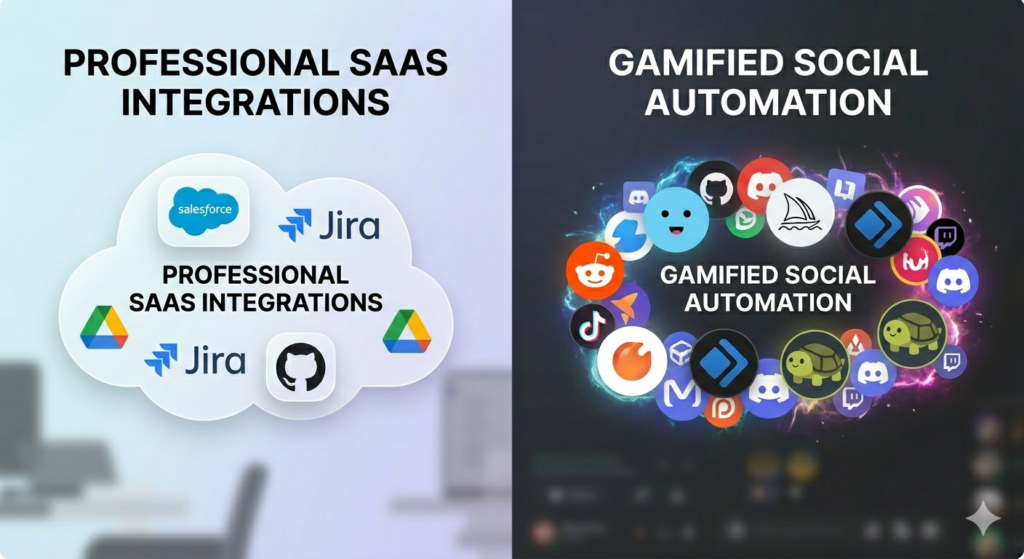
Slack’s App Directory contains 2,600+ official SaaS integrations; Discord’s ecosystem hosts 12 million active community bots performing moderation, onboarding, monetization, and engagement tasks. Both ecosystems serve distinct needs: Slack for enterprise productivity workflows, Discord for community automation and gamified social environments.
Explore n8n Alternatives to extend either platform’s automation capabilities beyond their native integration tools and built-in workflows.
What Third-Party Apps Does Slack Integrate With?
Slack integrates officially with 5 categories of business tools: CRM systems like Salesforce, document management platforms like Google Drive and Microsoft 365, developer tools like Jira and GitHub, video conferencing tools like Zoom and Google Meet, and workflow automation through Slack Workflow Builder. All 2,600+ integrations are officially security-reviewed, supported, and provide bi-directional data synchronization across business systems.
Slack Workflow Builder automates routine tasks like approval requests, team reminders, and onboarding sequences without writing a single line of code. This no-code automation layer makes Slack the strongest integration platform for enterprise SaaS ecosystems requiring governance and security validation.
How Does Discord Bot Automation Work?
Discord’s 12 million active bots handle 28% of all platform messages through 4 core automation functions: moderation including spam and toxic language filtering, onboarding through automated role assignment based on user reactions, monetization via digital product delivery through Discord Server Shops, and community engagement through polls, giveaways, and platform events. Bots like MEE6, Dyno, and Carl-bot operate through Discord API connections and Slash Commands requiring no official security review process.
Bot deployment enables rapid community customization at no additional cost beyond Discord’s free tier. This flexibility exceeds Slack’s Workflow Builder for social and community automation but lacks the enterprise security validation required by regulated business environments.
Which Platform Has a Stronger Integration Ecosystem?
Slack leads with 2,600+ officially supported SaaS tools for enterprise workflows including Salesforce, Jira, and GitHub. Discord leads with 12 million community bots for social automation, moderation, and gamified community engagement at scale.
Slack’s ecosystem suits teams connecting professional business tools requiring security validation and bi-directional data sync. Discord’s ecosystem suits communities building custom, bot-driven social environments with moderation, leveling systems, and creator commerce features.
How Do Slack and Discord Compare on Security and Privacy?
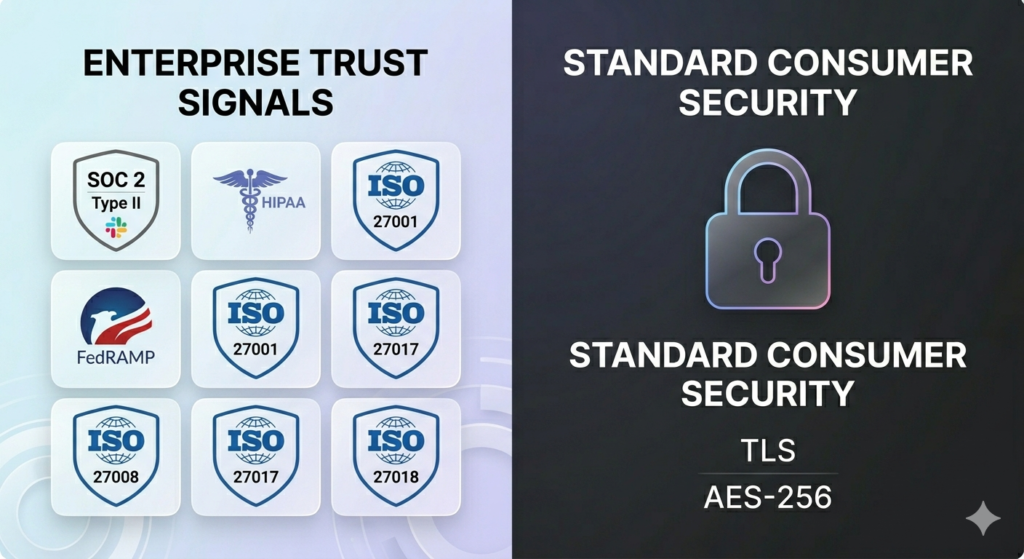
Slack holds the strongest security posture of any messaging platform with 6 compliance certifications and Enterprise Key Management for full encryption control. Discord provides consumer-grade security with TLS and AES-256 encryption but lacks enterprise compliance frameworks required by regulated industries.
What Security Standards Does Slack Meet for Enterprises?
Slack meets 5 mandatory enterprise security standards: SOC 2 Type II for data security controls, HIPAA eligibility for healthcare data handling, ISO 27001 for information security management, FedRAMP authorization for US government deployments, and GDPR compliance for European data protection requirements. Enterprise Key Management (EKM) gives organizations total control over encryption keys, while a 2-year audit log retention policy ensures complete activity traceability across all user actions and data changes.
Data residency options allow regulated industries to choose the physical region where Slack stores all workspace data, messages, and files. These certifications make Slack the only viable messaging option for healthcare providers, financial institutions, and government agencies requiring documented compliance.
How Does Discord Handle User Privacy and Data Protection?
Discord uses TLS encryption for data in transit and AES-256 for data at rest, meeting industry-standard consumer privacy requirements for personal and community data. Discord lacks SOC 2 Type II, HIPAA, and FedRAMP certifications required for regulated enterprise environments across healthcare, finance, and government sectors.
In 2026, Discord implemented teen-by-default safety settings and AI-powered media filters for younger users across all servers globally. Two-factor authentication and role-based permissions provide basic access control at the individual server level for community administrators.
What Are the Pros and Cons of Slack?
Pros of Slack:
- Connects officially to 2,600+ business tools, including Salesforce, Jira, and GitHub
- Meets SOC 2 Type II, HIPAA, and FedRAMP compliance standards for regulated industries
- Delivers 30+ AI features through Agentforce and Slackbot for autonomous enterprise task execution
- Provides AI-enhanced search across messages, files, and all integrated third-party applications
- Maintains persistent, searchable native threading for structured multi-project team conversations
Cons of Slack:
- Charges $7.25/user/month minimum on paid plans, scaling to $45/user/month for Enterprise+
- Restricts free plan message history to a rolling 90-day window, hiding older content without payment
- Limits Huddles to 12 simultaneous video streams, reducing suitability for large team meetings
What Are the Pros and Cons of Discord?
Pros of Discord:
- Provides unlimited message history and unlimited users on the free plan at $0 monthly cost
- Delivers low-latency persistent voice channels supporting 100+ enterprise video participants
- Hosts 12 million active bots enabling customized moderation, onboarding, and community automation
- Supports Server Shops and Social SDK for gaming publishers and digital creator commerce revenue
- Scales communities to millions of members, as demonstrated by Midjourney’s 20.4 million server members
Cons of Discord:
- Lacks SOC 2 and HIPAA certifications required by regulated industries including healthcare and finance
- Provides no native integrations with professional SaaS tools like Salesforce, Jira, or Microsoft 365
- Restricts free file uploads to 10MB per file, requiring Nitro at $9.99/month for 500MB capacity
Is Discord Replacing Slack for Remote Teams?
Discord is not replacing Slack for remote teams. Slack holds 47.2 million DAUs compared to Discord’s 26.5 million DAUs in 2026, maintaining clear dominance across enterprise and mid-market communication segments.
Discord grows among startups and creative agencies finding Slack too structured or expensive for early-stage teams. Once companies scale and face compliance audits, they transition back to the Salesforce and Slack ecosystem for governance, data control, and enterprise security requirements.
Explore Notion vs Trello for complementary project management tools that pair effectively with both Slack and Discord for remote team workflows.
Slack vs Discord: Which Platform Should You Choose?
The 2026 decision between Slack and Discord is a choice between enterprise governance and community engagement. Both platforms serve distinct use cases with minimal functional overlap at the professional enterprise level.
Choose Slack If…
- Operate in a regulated industry — your team requires HIPAA, SOC 2, or FedRAMP certification for legal compliance
- Manage a Salesforce-driven workflow — your team handles CRM pipelines and AI agents directly from the chat interface
- Prioritize knowledge management — your team requires AI-powered search across messages, files, and all integrated business apps
- Run complex multi-team projects — your team manages simultaneous projects requiring persistent, searchable documentation threads
- Deploy agentic AI workflows — your team uses Slackbot’s Agentforce to autonomously schedule meetings, research deals, and route approvals
Choose Discord If…
- Build a public gaming or creator community — your server requires discovery, Stage Channels, and moderation bots at scale
- Operate on a limited budget — your team of 50 saves $4,350/year on Discord free compared to Slack Pro annually
- Require always-on voice collaboration — your team thrives on ambient, persistent voice channels without scheduling overhead
- Monetize through social commerce — your community leverages Server Shops and Social SDK for digital product and in-game item sales
- Automate through bot ecosystems — your team prefers 12 million community bots over officially supported enterprise SaaS integrations
Frequently Asked Questions About Slack vs Discord
Is Slack Like Discord?
Slack and Discord share 2 structural similarities: category-based channels and direct messaging between users. Slack is a business-first documentation platform optimized for structured governance; Discord is a community-first real-time presence platform optimized for voice interaction and social engagement.
Which Is Cheaper Slack or Discord?
Discord is significantly cheaper, with core features including unlimited users and message history available at $0 per month. Slack’s entry paid plan starts at $7.25/user/month, costing a 50-person team $4,350 annually compared to $0 on Discord’s free tier.
Can Discord Replace Slack for Business Communication?
Discord replaces Slack for small teams not requiring enterprise compliance or deep SaaS tool integrations. Discord cannot replace Slack for organizations in healthcare, finance, or government sectors requiring HIPAA eligibility, SOC 2 Type II certification, and FedRAMP authorization.
What Is the Best Alternative to Both Slack and Discord?
3 strong alternatives serve different team needs: Microsoft Teams for enterprise users already on Microsoft 365 subscriptions, Google Chat for teams operating within the Google Workspace ecosystem, and Pumble for teams requiring unlimited free message history with business-grade administrative features. Explore Microsoft Copilot Alternatives and Best Notion Alternatives for additional platform and productivity tool options.