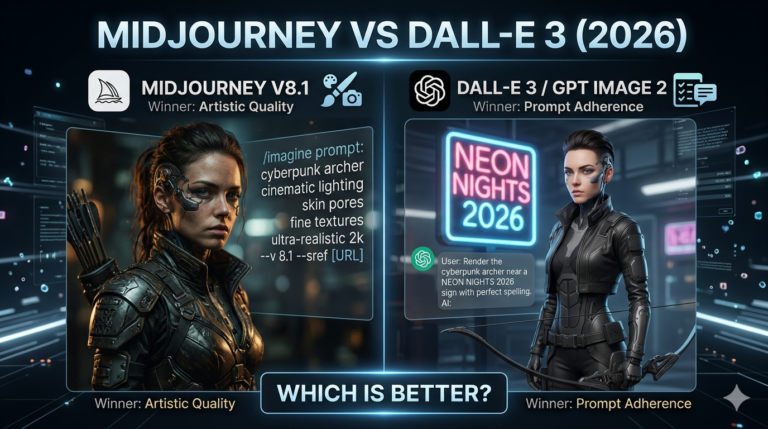
Best AI Image Generators in 2026: 12 Tools Tested, Compared, and Ranked
The 12 best AI image generators in 2026 are ChatGPT (GPT Image 1.5), Midjourney V7, FLUX.2, Adobe Firefly, Nano Banana 2, Ideogram 3.0, Grok Imagine, Stable Diffusion 3.5, Recraft, Bing Image Creator, Leonardo.AI, and Canva AI. These tools convert text prompts into high-quality images using diffusion and autoregressive architectures, with pricing ranging from free to $200 per month.
This comparison evaluates all 12 tools across 4 measurable criteria: output quality, pricing, free plan availability, and content restrictions. Each tool was assessed across 5 prompt types including photorealistic portraits, stylized illustrations, text-heavy graphics, logo concepts, and social media assets.
The AI comparison tools section on this site covers the full AI landscape. This article focuses specifically on image generation tools and ranks them based on output quality, accessibility, and use-case fit.
What is the best AI image generator in 2026?
The best AI image generator in 2026 for most users is ChatGPT’s GPT Image 1.5, producing accurate, detailed images at 1,536 × 1,024 pixels with strong prompt comprehension across complex, multi-element scene descriptions. According to OpenAI’s pricing page, the Plus plan costs $20 per month and includes approximately 80 image generations every 3 hours.
For artistic and stylized output, the highest-quality results come from Midjourney V7 among all 12 tools tested. For free use without a subscription, the strongest option is Nano Banana 2 via Google Gemini, delivering 20 images per day at no cost with above-average output quality across all prompt types tested.
12 best AI image generators compared: pricing, free plans, and output quality
The 12 best AI image generators in 2026 differ across 5 measurable attributes: starting price, free tier availability, maximum output resolution, primary model developer, and best-suited use case.
| Tool | Developer | Free Tier | Starting Price | Max Resolution | Best For |
| ChatGPT (GPT Image 1.5) | OpenAI | Yes (limited) | $20/month | 1,536 × 1,024 px | Prompt accuracy |
| Midjourney V7 | Midjourney Inc. | No | $10/month | 2,048 × 2,048 px | Artistic results |
| FLUX.2 | Black Forest Labs | No | $0.014/image | 2,304 × 1,736 px | Professional output |
| Adobe Firefly | Adobe | Yes (limited) | $9.29/month | 2,304 × 1,792 px | Commercial-safe assets |
| Nano Banana 2 (Gemini) | Yes (20/day) | $7.99/month | 1,536 × 1,024 px | Free everyday use | |
| Ideogram 3.0 | Ideogram | Yes | $7/month | 2,048 × 2,048 px | Text in images |
| Grok Imagine | xAI | Yes (10/2hrs) | $30/month | 2,048 × 2,048 px | Social media content |
| Stable Diffusion 3.5 | Stability AI | Yes (open source) | Free | Custom | Unrestricted local use |
| Recraft | Recraft | Yes | $12/month | 2,048 × 2,048 px | Vector graphics |
| Bing Image Creator | Microsoft | Yes (free) | Free | 1,024 × 1,024 px | No-login generation |
| Leonardo.AI | Leonardo | Yes (150 tokens/day) | $10/month | 1,536 × 1,536 px | Character consistency |
| Canva AI | Canva | Yes (50 credits/month) | $12.99/month | 1,024 × 1,024 px | Beginners |
The 12 best AI image generators of 2026, reviewed
The 12 best AI image generators fall into 3 categories: proprietary commercial platforms such as Midjourney and FLUX.2, integrated AI assistants such as ChatGPT and Google Gemini, and free or open source options such as Stable Diffusion and Bing Image Creator. Each category serves different requirements across output quality, accessibility, and generation control.
ChatGPT (GPT Image 1.5): best AI image generator for prompt accuracy
The best AI image generator for complex, multi-element prompts is ChatGPT’s GPT Image 1.5, handling layered scene descriptions, specific artistic styles, and embedded text with higher consistency than competing models at equivalent pricing tiers. According to OpenAI’s technical documentation, GPT Image 1.5 replaced DALL-E 3 as OpenAI’s primary image model in 2025 by integrating text and image generation within a single unified architecture, which improves contextual understanding across multi-turn generation sessions.
The Plus plan at $20 per month includes approximately 80 image generations every 3 hours. The Pro plan at $200 per month removes generation limits entirely. Free tier access is available with daily restrictions and lower queue priority during peak periods. According to OpenAI’s usage policies, paid plan users retain full commercial rights to all generated images.
GPT Image 1.5 supports direct post-editing within the ChatGPT interface individual elements change, backgrounds replace, and details refine without regenerating the full image from scratch.
3 strengths of ChatGPT (GPT Image 1.5): high prompt accuracy across complex, layered scene descriptions; direct in-chat editing that preserves prior conversational context; full commercial rights on all paid plan outputs.
2 limitations: free tier restricts daily generation volume significantly; the Plus plan’s 80-generation cap per 3 hours constrains high-volume production workflows.
Midjourney V7: best AI image generator for artistic and stylized results
The best AI image generator for artistic output is Midjourney V7, generating images with distinctive styles, precise character consistency, and natural-looking photorealistic composition that outperforms competing models in blind evaluation benchmarks. According to Artificial Analysis’s Image Arena leaderboard, Midjourney V7 ranked first in the majority of head-to-head comparisons among all commercially available image generation models as of mid-2026.
The Basic plan costs $10 per month and includes 200 fast GPU minutes. The Standard plan at $30 per month includes 15 fast GPU hours plus unlimited relaxed-mode generations. V7, released in 2025, introduced improved structural coherence and stronger style adherence compared to V6.1.
Midjourney offers no free plan. According to Midjourney’s terms of service, paid subscribers retain full commercial rights to all generated images with no watermarks applied to any output on any paid tier.
3 strengths of Midjourney V7: highest aesthetic output quality across artistic and photorealistic styles; strong character consistency across multiple generation attempts; no watermarks on any paid plan output.
2 limitations: no free tier is available; the Discord-based workflow for advanced parameter control requires familiarity with bot command syntax.
The Midjourney vs DALL-E 3 comparison covers both platforms across output quality, pricing, and commercial use cases in detail.
FLUX.2 by Black Forest Labs: best AI image generator for professional output
The AI image generator producing the highest output resolution in this comparison is FLUX.2 by Black Forest Labs, reaching 2,304 × 1,736 pixels across its Pro and Max model variants the largest maximum output dimension among all 12 tools. According to Black Forest Labs’ credit pricing documentation, 5 model variants are available: Klein 4B at $0.014 per image, Klein 9B at $0.015, Pro at $0.03, Flex at $0.05, and Max at $0.07 per megapixel.
FLUX.2 has no free tier all usage requires purchasing credits from Black Forest Labs. According to Black Forest Labs’ terms of service, the commercial license covers all images generated through paid API access. FLUX.2 models are integrated into Adobe Firefly and Freepik, providing interface access for users who prefer a guided workflow over direct API usage.
Multiple reference image inputs simultaneously allow FLUX.2 to reproduce colors, subjects, and characters consistently across large generation batches the strongest option for brand campaigns requiring visual consistency at scale.
3 strengths of FLUX.2: highest maximum output resolution (2,304 × 1,736 px) in this comparison; multi-reference input for brand-consistent batch generation; pay-per-image pricing with no monthly generation ceiling.
2 limitations: no free tier is available; direct API access requires technical familiarity with a steeper onboarding curve than consumer platforms like ChatGPT or Canva AI.
Adobe Firefly: best AI image generator for Creative Cloud integration
The AI image generator with the strongest intellectual property protection is Adobe Firefly, trained exclusively on licensed content and Adobe Stock assets. According to Adobe’s Terms of Service at adobe.com/legal, users retain full IP rights to images generated through paid Firefly plans, making it the strongest choice for brands running paid advertising campaigns that require documented IP indemnification.
Firefly Image Model 5 generates images at up to 2,304 × 1,792 pixels. Individual plans start at $9.29 per month and include monthly generative credits. Firefly integrates directly with Adobe Photoshop, Illustrator, and Express, enabling AI generation within existing design workflows without switching applications.
Adobe Firefly also functions as a multi-model aggregator platform, providing access to 10 third-party models within a single interface including GPT Image 1.5, Nano Banana 2, FLUX.2 Pro, Ideogram 3.0, and Runway Gen-4 Image.
3 strengths of Adobe Firefly: commercially indemnified outputs trained exclusively on licensed content; direct integration with Photoshop, Illustrator, and Express; access to 10 external image models within one interface.
2 limitations: monthly credits do not carry over between billing cycles; generative credit limits require careful management for high-volume production teams.
Nano Banana 2 (Google Gemini): best free AI image generator overall
The best free AI image generator overall is Nano Banana 2 via Google Gemini, generating 20 images per day at no cost with output quality ranking in the top 5 models across photorealistic and illustrated prompt types in this comparison. According to Google’s Gemini pricing documentation, 4 tiers apply: free (20 images/day), AI Plus at $7.99 per month (50 images/day, Nano Banana Pro access), AI Pro at $19.99 per month (100 images/day), and AI Ultra at $249.99 per month (1,000 images/day).
Nano Banana 2 generates images at 1,536 × 1,024 pixels on the free tier. Text rendering within images performs above average compared to other free tools in this comparison. According to Google’s generative AI use policy, Google does not claim ownership of user-generated images commercial rights remain with the user, with a limited display license granted to Google within its own services.
3 strengths of Nano Banana 2: free tier generates 20 images per day without credit purchase; daily limit system is more predictable than credit-based pricing models; multi-character editing and image-from-photo input available on the free plan.
2 limitations: paid tiers bundle image access with Google cloud storage, meaning image-only users pay for features they may not use; free resolution ceiling of 1,536 × 1,024 px limits large-format output needs.
See the Gemini vs ChatGPT comparison for a direct evaluation of Nano Banana 2 against GPT Image 1.5 across prompt types, pricing, and use cases.
Ideogram 3.0: best AI image generator for accurate text rendering
The AI image generator with the most accurate text rendering is Ideogram 3.0, rendering legible labels, headlines, and multi-word phrases with fewer errors than Midjourney, FLUX.2, and ChatGPT across equivalent prompt complexity. According to Ideogram’s platform documentation, Ideogram was the first commercial AI image generator to achieve consistent, reliable text-in-image accuracy at production quality a distinction confirmed through independent user testing comparisons published on Hugging Face’s model evaluation community.
The free plan includes daily generation limits. The Basic plan costs $7 per month and includes 100 priority generations. The Plus plan at $16 per month includes 450 priority generations. Maximum output reaches 2,048 × 2,048 pixels. Ideogram 3.0 also includes a character consistency tool released in 2025 for generating the same character across different scenes and poses, with masking and inpainting available on paid plans.
3 strengths of Ideogram 3.0: highest text rendering accuracy among all 12 tools tested; character consistency tool for cross-scene and cross-pose generation; free plan includes daily generation without credit purchase.
2 limitations: photorealistic portrait quality ranks below Midjourney V7 and FLUX.2 on equivalent prompts; commercial use of free-tier outputs requires upgrade to a paid plan under Ideogram’s standard terms.
Grok Imagine by xAI: best AI image generator for social media content
Producing the strongest output for fast social media content generation is Grok Imagine by xAI, generating 10 free images every 2 hours without a subscription at resolutions up to 2,048 × 2,048 pixels. Grok Imagine is accessible through grok.com, the Grok mobile apps, and the X platform. According to xAI’s usage FAQ, the SuperGrok plan at $30 per month increases the daily limit to approximately 200 image and video generations with early access to new model features.
Text rendering in images performs above average labels and short captions contain fewer errors compared to Midjourney and FLUX.2 on equivalent social content prompts. According to xAI’s terms of use, users retain commercial rights to generated content with a platform requirement to label outputs as created with Grok.
3 strengths of Grok Imagine: free tier generates 10 images per 2 hours without subscription; high-resolution 2,048 × 2,048 px output on the free plan; strong text rendering for social captions and label overlays.
2 limitations: full-featured daily limits require the SuperGrok plan at $30 per month, which is priced above Midjourney’s Basic entry plan; the commercial labeling requirement adds a disclosure step absent from competing tools.
For a direct evaluation of Grok’s generation quality against the leading alternative, see the Grok vs ChatGPT comparison.
Stable Diffusion 3.5: best open source AI image generator for custom projects
The only fully open source AI image generator in this comparison is Stable Diffusion 3.5 by Stability AI, allowing local installation, unrestricted personal use, and complete customization of the generation pipeline without platform-imposed content filters or subscription fees. According to Stability AI’s release announcement, Stable Diffusion 3.5 launched in October 2024 and is available for download through Hugging Face under the Stability Community License.
The model runs locally on consumer GPUs with a minimum of 8 GB VRAM. According to Stability AI’s licensing documentation, the commercial license costs $20 per month for business applications. Stable Diffusion 3.5 supports fine-tuning, LoRA training, and integration into custom pipelines through ComfyUI and Automatic1111 interfaces the deepest level of generation control among all 12 tools compared.
Users running Stable Diffusion 3.5 locally face no daily generation limits, no applied watermarks, and no content filters beyond those defined in the community license terms.
3 strengths of Stable Diffusion 3.5: unlimited local generation with no daily caps or subscription on personal use; full customization through fine-tuning, LoRA training, and pipeline integration; no watermarks on any generated output.
2 limitations: local setup requires a GPU with a minimum of 8 GB VRAM and technical configuration knowledge; cloud-based API access through third-party providers adds per-image costs that reduce the advantage of the free local option.
The Midjourney vs Stable Diffusion comparison evaluates both tools across output quality, setup requirements, and total cost.
Recraft: best AI image generator for vector graphics and brand design
The AI image generator that produces true SVG vector output is Recraft, unlike the 11 other tools in this comparison that generate raster images exclusively. Recraft produces icons, illustrations, and logos with controllable color palettes and exportable SVG files that scale without quality loss at any dimension. According to Recraft’s platform documentation, the icon generation feature produces up to 6 icons per prompt with a unified style and color palette in a single generation request.
The free plan includes daily generation limits. The Pro plan costs $12 per month and includes 1,000 generations with access to custom style training. Teams share brand styles and color palettes across multiple designer accounts on Pro, making Recraft the strongest option for design organizations requiring consistent visual standards across multiple contributors.
Text accuracy in Recraft images ranks second among all 12 tools, behind only Ideogram 3.0. Photorealistic output quality ranks below Midjourney, FLUX.2, and ChatGPT for portrait and scene generation tasks.
3 strengths of Recraft: true SVG vector output for scalable logos, icons, and brand assets; second-highest text rendering accuracy in this comparison; team-shared brand style and color palette management on Pro.
2 limitations: photorealistic portrait and scene quality ranks below the top 4 tools; custom style training beyond default presets requires the Pro plan at $12 per month.
Bing Image Creator (Microsoft): best free AI image generator without registration
The best free AI image generator for users without an account is Bing Image Creator powered by Microsoft’s MAI-Image-1 model, generating images at no cost without creating an account when accessed through Microsoft Edge. According to Microsoft’s Bing Image Creator documentation, the service provides daily boost credits for priority processing and unlimited standard-queue processing at no charge.
Maximum output resolution is 1,024 × 1,024 pixels. The tool is accessible at bing.com/images/create and within the Microsoft Edge sidebar. According to Microsoft’s standard service terms, images are licensed for personal and non-commercial use on the free tier. Commercial use requires a Microsoft Designer subscription. The model applies content filters restricting generation of copyrighted characters, real public figures, and explicit material.
3 strengths of Bing Image Creator: completely free with no account required on Microsoft Edge; unlimited standard-queue generation with no credit expiry; output quality exceeds Canva AI at equivalent free tiers.
2 limitations: maximum resolution of 1,024 × 1,024 px is the lowest ceiling among all 12 tools compared; commercial rights require a Microsoft Designer subscription under standard terms.
Leonardo.AI: best AI image generator for consistent character generation
The AI image generator delivering the most consistent character appearance across multiple scenes is Leonardo.AI, using dedicated character reference models that maintain visual coherence across different environments, lighting conditions, and camera angles. The free tier provides 150 daily tokens sufficient for approximately 10 to 30 standard generations depending on selected resolution.
The Apprentice plan costs $10 per month and includes 8,500 monthly tokens. The Artisan plan at $24 per month includes 25,000 tokens. According to Leonardo.AI’s platform documentation, maximum output resolution reaches 1,536 × 1,536 pixels. Leonardo Phoenix handles photorealistic output and Leonardo Kino XL covers cinematic composition within the same subscription.
Character consistency tools lock visual attributes including facial structure, clothing details, and color schemes across generation batches using reference images, making Leonardo.AI the strongest option for visual storytelling, game asset production, and scenario illustration requiring recurring characters.
3 strengths of Leonardo.AI: strongest character consistency across scenes and poses in this comparison; dual model access (Phoenix + Kino XL) within one subscription; 150 free daily tokens without credit card requirement.
2 limitations: token consumption increases significantly at higher resolutions, reducing the effective daily generation count on free and entry-level plans; maximum resolution of 1,536 × 1,536 px falls below FLUX.2 and Firefly ceilings.
Canva AI: best AI image generator for non-designers and beginners
The AI image generator with the lowest learning curve for non-designers is Canva AI, integrating generation directly into a template-based design workflow that produces graphics for presentations, social media posts, and marketing materials without requiring prompt engineering experience. According to Canva’s pricing page, the free plan includes 50 AI generation credits per month. The Canva Pro plan at $12.99 per month includes 500 monthly credits, brand kit storage, and access to over 100 million stock assets.
Canva AI generates images at up to 1,024 × 1,024 pixels with export across PNG, JPG, SVG, and PDF formats. Style presets, aspect ratio controls, and integrated editing tools reduce technical complexity generated images place directly into Canva’s 250,000+ templates, enabling complete design production within a single workflow. Text accuracy ranks below Ideogram and Recraft, though the template workflow compensates by allowing text to be added as a separate editable layer within Canva’s design environment rather than embedded in the generation itself.
3 strengths of Canva AI: lowest technical barrier among all 12 tools for users without design experience; generated images integrate directly into 250,000+ Canva templates; free plan includes 50 monthly credits without a credit card requirement.
2 limitations: maximum resolution of 1,024 × 1,024 px ranks among the lowest in this comparison; generation quality on complex photorealistic prompts ranks below ChatGPT, Midjourney, and FLUX.2.
5 best free AI image generators in 2026
The 5 best free AI image generators in 2026 are Nano Banana 2 via Google Gemini, Bing Image Creator, Adobe Firefly’s free tier, Canva AI, and Ideogram’s free plan, each offering daily or monthly generation limits without payment. Combined, these 5 tools provide free access to AI image generation across text-to-image conversion, brand design, vector output, and multi-character editing.
What is the best free AI image generator without a subscription?
The best free AI image generator without a subscription is Nano Banana 2 via Google Gemini, generating 20 images per day at no cost with output quality ranking above Bing Image Creator, Canva AI, and Ideogram across most prompt types including photorealistic portraits and illustrated scenes. The model operates within the standard Gemini interface and requires only a Google account.
Bing Image Creator ranks second for free use, offering unlimited standard-queue generation powered by Microsoft’s MAI-Image-1 model. Canva AI provides 50 free credits per month, making it the strongest free option for users who need design-ready outputs integrated into a template workflow rather than standalone image files.
Best free AI image generators without login or sign-up
The 3 AI image generators that produce output without requiring account registration are Bing Image Creator on Microsoft Edge, the Stable Diffusion playground on Hugging Face, and Canva’s limited guest mode. Bing Image Creator delivers the highest generation quality among these 3 options, using Microsoft’s MAI-Image-1 model without requiring an account when accessed through the Edge browser sidebar. The Stable Diffusion Hugging Face playground allows text-to-image generation without registration, at lower speed and output quality than dedicated platforms.
Best AI image generators without restrictions or watermarks
The 4 AI image generators that produce images without watermarks on free plans are Stable Diffusion 3.5, Grok Imagine, Ideogram, and Bing Image Creator. Midjourney, ChatGPT, Adobe Firefly, and Leonardo.AI restrict commercial use or apply watermarks to free-tier outputs under their standard platform terms.
Which AI image generators have no watermarks on free plans?
The AI image generator with no watermarks and no content restrictions is Stable Diffusion 3.5 when run locally, providing the strongest option for users who require full output ownership with no platform-imposed limitations. Grok Imagine’s free tier generates up to 10 images every 2 hours without watermarks, with a platform requirement to label outputs as AI-generated per xAI’s terms of use.
Ideogram’s free plan generates images without visible watermarks, though commercial use of free-tier outputs requires upgrading to a paid plan. Bing Image Creator adds no watermarks to free outputs, but restricts images to personal and non-commercial use under Microsoft’s standard service terms.
Which AI image generators allow unlimited image generation?
The AI image generator allowing unlimited generation with no monthly cap is Stable Diffusion 3.5 installed locally, running entirely on the user’s own GPU hardware without any external generation limits. FLUX.2 accessed through the Black Forest Labs API allows unlimited generation on a pay-per-image model with no monthly volume ceiling regardless of usage.
According to Google’s pricing documentation, Nano Banana 2 on the AI Ultra plan at $249.99 per month allows up to 1,000 image generations per day the highest absolute daily cap among all 12 subscription-based tools. Grok Imagine on the SuperGrok plan at $30 per month provides up to 200 image and video generations per day, the highest daily limit among plans priced below $50.
Best AI image generators by use case: logos, portraits, and marketing
Logo design, photorealistic photography, interior design visualization, text-to-image conversion, and marketing content production each require a different AI image generator based on output format, licensing terms, and resolution requirements. The sections below identify the strongest tool across each of these 5 specialized applications.
Best AI image generator for logo design
The best AI image generator for logo design is Recraft, generating true SVG vector logos with customizable color palettes and scalable output that requires no post-processing vectorization before production use. According to Recraft’s feature documentation, the icon generation feature produces up to 6 icons per prompt with a unified style and color palette the most production-ready logo output format in this comparison.
Adobe Firefly ranks second for logo design, producing commercially licensed concepts at 2,304 × 1,792 pixels with integrated vector export through Adobe Illustrator on paid plans. Midjourney V7 produces the highest aesthetic quality for abstract logomarks and brand symbols among all 12 tools, though all Midjourney outputs require manual vectorization in Adobe Illustrator or Inkscape before production use.
Best AI image generator for realistic photos and portraits
The AI image generators producing the most photorealistic output are FLUX.2 and Midjourney V7, with FLUX.2 achieving higher structural accuracy for hands, facial details, and complex scene geometry, and Midjourney V7 delivering stronger aesthetic composition with more natural-looking lighting and depth. According to Artificial Analysis’s evaluation data, both models rank in the top 3 for photorealistic output quality across independent benchmark testing against 50+ image generation models.
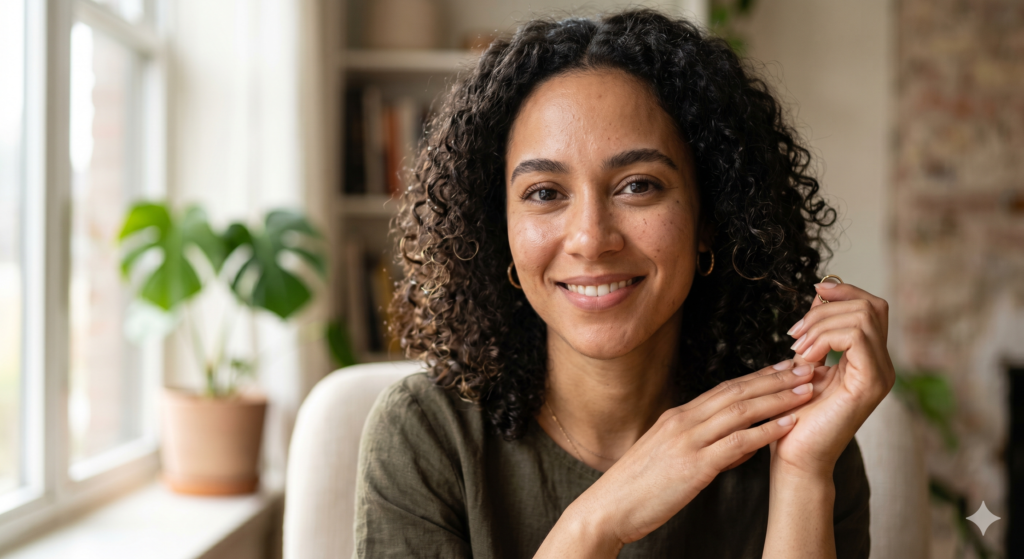
ChatGPT GPT Image 1.5 produces natural-looking portraits that outperform earlier OpenAI models on equivalent prompts. Nano Banana 2 generates photorealistic results on the free tier that outperform Canva AI and Leonardo.AI at no cost.
Best AI image generator for interior design
The best AI image generators for interior design visualizations are Midjourney V7 and FLUX.2, producing room layouts, material textures, furniture arrangements, and spatial lighting with realistic depth and perspective. Midjourney V7 handles style-specific requests including Scandinavian, industrial, and mid-century modern aesthetics with consistent accuracy across repeated generation attempts.
Adobe Firefly ranks third for interior design, benefiting from direct integration with Adobe Dimension and Photoshop for scene assembly and photorealistic post-processing. Individual Firefly plans start at $9.29 per month.
Best AI text to image generator
The best AI text to image generator for natural language prompts is ChatGPT GPT Image 1.5, converting conversational, multi-sentence scene descriptions into accurate visual outputs with higher consistency than FLUX.2 and Midjourney on equivalent unstructured natural language inputs. The model processes pronoun references, scene continuations, and style adjustments described in plain English without requiring parameter syntax.
FLUX.2 Pro and Max deliver stronger adherence on precise technical descriptions including specific f-stop values, material properties, and photographic lighting setups. Ideogram 3.0 leads for text prompts that include text-within-image elements such as captions, labels, and typographic compositions.
Best AI image generator for marketing and social media posts
The best AI image generators for marketing and social media content are Canva AI and Grok Imagine, with Canva AI offering template-integrated design workflows and Grok Imagine delivering fast, high-quality generation at social platform aspect ratios including 1:1, 4:5, and 9:16 without additional resizing steps.
Adobe Firefly ranks second for professional marketing use, producing commercially licensed images suitable for paid advertising across Meta, Google, and LinkedIn platforms. According to Adobe’s Firefly commercial use documentation, IP indemnification covers Firefly-generated images used in paid advertising campaigns a protection unavailable from the majority of competing tools.
Which AI is best for image generation? 5 key differences between top models
Midjourney V7, GPT Image 1.5, FLUX.2, Nano Banana 2, and Ideogram 3.0 are the 5 AI models that produce the best image generation results in 2026, each leading on a distinct performance dimension: aesthetic quality, prompt accuracy, resolution ceiling, free accessibility, and text rendering accuracy.
5 key differences between the top AI image generation models:
- Aesthetic quality The highest aesthetic output quality belongs to Midjourney V7. According to Artificial Analysis’s Image Arena leaderboard, Midjourney V7 ranked first in head-to-head comparisons against all other commercially available models in the latest evaluation cycle.
- Prompt accuracy The highest consistency between complex text descriptions and generated outputs comes from GPT Image 1.5. The model handles multi-element scenes with fewer omissions and misinterpretations than competing models at equivalent pricing.
- Resolution ceiling The highest maximum output resolution is produced by FLUX.2 Max at 2,304 × 1,736 pixels 50% higher linear resolution than the 1,024 × 1,024 px ceiling of Bing Image Creator and Canva AI, supporting print and large-format production workflows.
- Free accessibility The highest output quality on a free plan is delivered by Nano Banana 2, generating 20 images per day at no cost with multi-character editing, image-from-photo input, and above-average prompt adherence on Google Gemini’s free tier.
- Text rendering The fewest errors in text-within-image generation are produced by Ideogram 3.0. According to Ideogram’s own testing documentation, text accuracy improved by 40% between Ideogram 2.0 and Ideogram 3.0 on prompts containing 5 or more words of embedded text.
How do AI image generators work? Diffusion models vs. autoregressive models
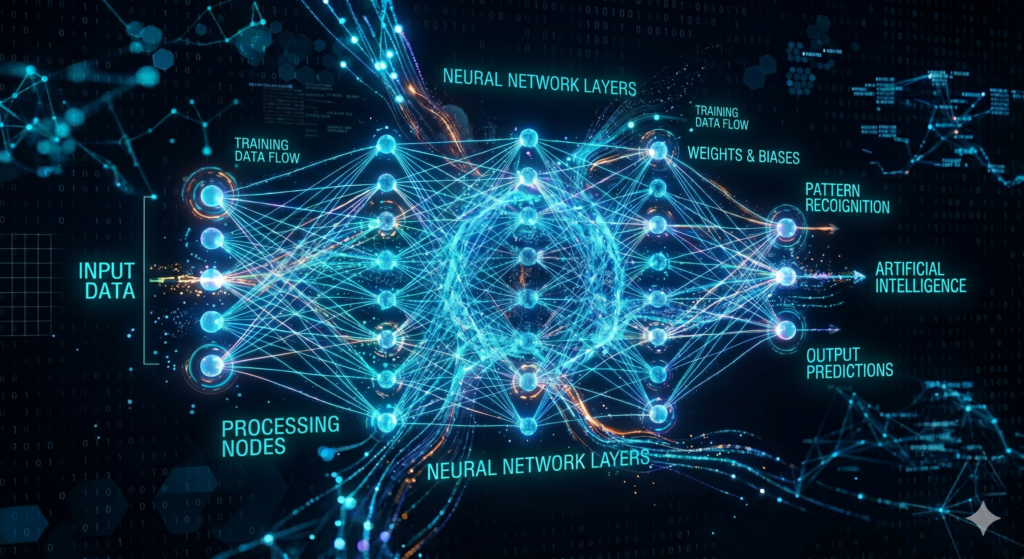
AI image generators use 2 primary architectures diffusion models and autoregressive models to convert text prompts into visual output. The architecture determines each tool’s generation speed, customization depth, and suitability for specific use cases.
Diffusion models begin with a random field of noise and progressively remove that noise across multiple processing steps, guided by the input text prompt, until a coherent image emerges. Stable Diffusion 3.5, FLUX.2, and Adobe Firefly use diffusion architectures. The number of denoising steps directly affects output quality higher step counts produce sharper, more detailed images at the cost of longer generation times. Users of FLUX.2 and Stable Diffusion can adjust this step count directly, providing parameter-level control unavailable in consumer-facing platforms.
Autoregressive models generate images by predicting each successive image token based on all prior tokens and the full input prompt. Each region of the image processes as an ordered token in a linear sequence, with prediction accuracy increasing as each prior token adds contextual information. GPT Image 1.5 uses this architecture integrated within OpenAI’s unified model the same token prediction approach that powers its text generation applies to its image generation, enabling the model to carry conversational context and prior image descriptions into each successive generation step within a session.
Both architectures train on large datasets of image-text pairs. The training data determines a model’s stylistic range, factual accuracy for visual concepts, and ability to render specific entities, artistic styles, and scene types. The practical distinction for users: diffusion models such as FLUX.2 and Stable Diffusion offer deeper parameter-level control over denoising steps, noise schedules, and guidance scale settings. Autoregressive models such as GPT Image 1.5 deliver stronger natural language comprehension and multi-turn refinement within a conversational interface.
FAQ Best AI image generators
What is the best AI image generator for free?
The best AI image generator for free is Nano Banana 2 via Google Gemini, offering 20 daily generations at no cost with output quality that exceeds Bing Image Creator and Canva AI on most prompt types. Bing Image Creator ranks second as the strongest no-login option, generating images through Microsoft’s MAI-Image-1 model without account registration on Microsoft Edge.
What is the best AI model for image generation in 2026?
The best AI model for image generation in 2026 across the widest range of use cases is GPT Image 1.5 by OpenAI, leading on prompt accuracy across product photography, social media graphics, presentation visuals, and illustrated scenes. Midjourney V7 leads on aesthetic and artistic quality. FLUX.2 Max leads on resolution and professional production output requirements.
Which AI image generator produces the most realistic images?
The AI image generators producing the most technically realistic output are FLUX.2 Pro and Max, rendering accurate faces, hands, complex materials, and spatial depth with fewer artifacts than competing models. Midjourney V7 produces the most visually convincing photorealistic portraits from an aesthetic standpoint natural lighting and compositional quality rank above all other tools on portrait generation prompts.
What is the best AI image generator app for mobile?
The best AI image generator app for mobile devices is Google Gemini powered by Nano Banana 2, available on iOS and Android at no cost with 20 free daily generations. The ChatGPT mobile app provides GPT Image 1.5 access for Plus subscribers at $20 per month. Canva’s mobile app supports AI image generation with 50 free monthly credits within its integrated design workflow.
What is the best AI image generator for commercial use?
The best AI image generator for commercial use is Adobe Firefly, trained exclusively on licensed content and Adobe Stock images with documented IP indemnification detailed in Adobe’s commercial use terms. According to OpenAI’s usage policies and Midjourney’s terms of service, GPT Image 1.5 and Midjourney V7 also grant full commercial rights to images on their respective paid plans. According to Stability AI’s licensing documentation, Stable Diffusion 3.5 requires a separate commercial license at $20 per month for business applications.
What is the best AI image generator for beginners?
The best AI image generator for beginners is Canva AI, providing style presets, template integration, and guided editing controls that produce functional, design-ready outputs without any prompt engineering experience. Google Gemini with Nano Banana 2 ranks second for beginners who need free, high-quality generation without a design workflow requirement.
Which AI image generator is right for your use case?
The correct AI image generator depends on 5 primary factors: output quality requirements, budget, content restrictions, use case specificity, and technical experience level. The decision table below maps each user profile to the strongest available tool based on primary need.
| Choose this tool | Primary need |
| ChatGPT (GPT Image 1.5) | Complex prompts, multi-turn editing, and document-integrated visuals |
| Midjourney V7 | Highest aesthetic quality, ad campaigns, and artistic character generation |
| FLUX.2 | Large-format professional production and API-driven high-volume workflows |
| Adobe Firefly | Commercially indemnified marketing assets within the Adobe Creative Cloud |
| Nano Banana 2 (Gemini) | Free daily generation, multi-character editing, and image-from-photo input |
| Ideogram 3.0 | Posters, ads, and visuals requiring accurate, readable embedded text |
| Stable Diffusion 3.5 | Local, unlimited, unrestricted generation with full customization control |
| Recraft | Scalable SVG vector logos, icons, and consistent brand design systems |
| Bing Image Creator | Immediate free generation without account creation |
| Leonardo.AI | Consistent character appearance across multiple scenes and environments |
| Canva AI | Template-based design production for non-designers and social media teams |
For users choosing between 2 specific tools in this list, the AI comparison tools section on this site provides dedicated head-to-head evaluations. The Midjourney vs DALL-E 3, Midjourney vs Stable Diffusion, and Runway vs Pika comparisons cover the most searched image and video generation matchups in detail.