Best AI Productivity Tools in 2026: 20 Tools Ranked by Use Case
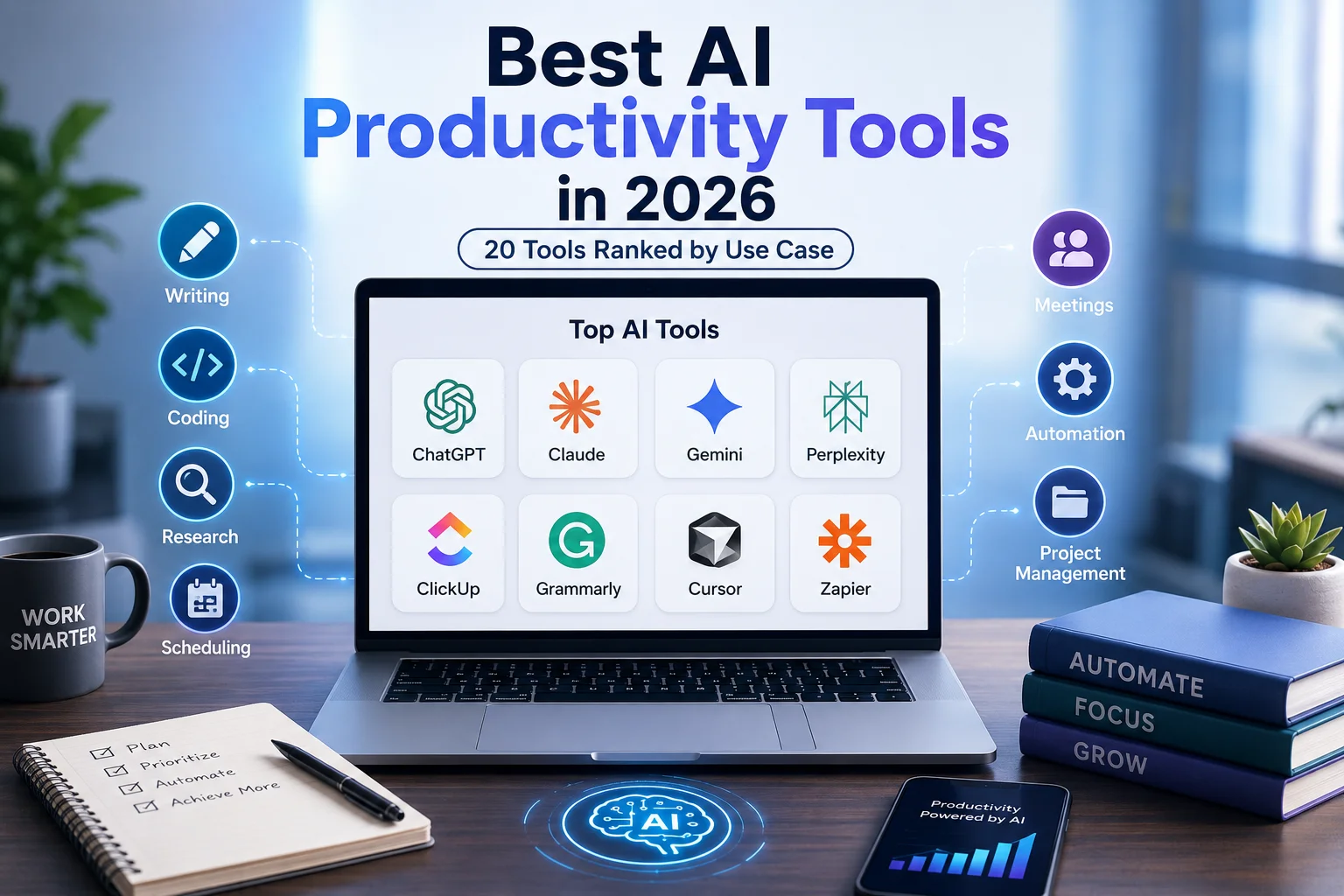
ChatGPT by OpenAI, Claude by Anthropic, and Gemini by Google DeepMind now power the most-used AI productivity tools across writing, coding, research, and automation. In 2026, over 300 million professionals use these platforms weekly, according to OpenAI’s published usage data. The right AI productivity tool depends on your specific workflow not the brand. This guide ranks 20 AI productivity tools by use case, with fact-based comparisons across features, pricing, AI models, and benchmark performance.
For a full overview of how these tools compare head-to-head, the AI comparison tools guide on aicomparison covers every major platform in 2026.
What Are the Best AI Productivity Tools in 2026?

The 5 best AI productivity tools in 2026 are ChatGPT for versatile everyday tasks, Claude for long-form writing and document analysis, Google Gemini for Google Workspace users, Perplexity for cited web research, and ClickUp Brain for AI-driven project management. Each tool is built on a distinct model GPT-5, Claude Sonnet 4.6, Gemini 2.5 Pro, and proprietary LLMs and targets a different professional workflow.
How to Choose the Right AI Productivity Tool
The right AI productivity tool is determined by 3 factors: integration compatibility with your existing stack, model flexibility across providers, and transparent pricing tiers. McKinsey research published in 2024 found that 80% of enterprise teams abandoned AI tools within 60 days due to poor integration fit not weak AI performance.
Does It Work With Tools You Already Use?
The strongest AI tools connect directly to apps like Gmail, Slack, Notion, and HubSpot without requiring custom development. ChatGPT integrates with Zapier across 9,000+ apps. Claude connects to MCP servers including Google Drive, Notion, and GitHub. Gemini 2.5 Pro integrates natively with all 9 Google Workspace apps Gmail, Docs, Sheets, Slides, Meet, Drive, Calendar, Chat, and Forms eliminating third-party connectors entirely for Google-dependent teams.
Can It Switch Between AI Models Like Claude, GPT-5, and Gemini?
Multi-model platforms outperform single-model tools because different tasks require different reasoning architectures. Perplexity Pro switches between Claude Sonnet 4.6, Gemini 3.1 Pro, and GPT-5 within a single interface. Cursor supports OpenAI, Claude, and Gemini models interchangeably across coding tasks. Tools locked to one provider Jasper AI runs primarily on GPT models limit output quality as newer models release.
Is the Pricing Transparent?
Transparent pricing means every feature is listed at a published price without contacting sales. Claude Pro costs $20/month with a defined 5x usage increase over the free tier. ClickUp Brain is included in paid plans from $7/user/month with no separate AI subscription. Grammarly Business charges per seat at $15/member/month billed annually. Tools with opaque “contact for pricing” structures common in enterprise tiers carry higher switching risk for small and mid-size teams.
Best AI Productivity Tools: Quick Comparison Table
| Tool | Best For | Free Plan | Starting Price | AI Model | G2 Rating |
| ChatGPT | Versatile everyday tasks | ✅ | $20/month | GPT-4o, GPT-5 | 4.7/5 |
| Claude | Long-form writing, documents | ✅ | $20/month | Claude Sonnet 4.6, Opus 4 | 4.7/5 |
| Google Gemini | Google Workspace users | ✅ | $19.99/month | Gemini 2.5 Pro | 4.4/5 |
| Perplexity | AI-powered web research | ✅ | $20/month | GPT-5, Claude, Gemini | 4.5/5 |
| Grammarly | Grammar and tone correction | ✅ | $30/month | Proprietary + GPT | 4.7/5 |
| Jasper AI | High-volume marketing content | ❌ | $49/month | GPT models | 4.7/5 |
| Lex.page | Long-form writing with AI | ✅ | $14.99/month | GPT-5, Claude Opus | 4.5/5 |
| NotebookLM | Synthesizing source documents | ✅ | $7.99/month | Gemini 2.0 | 4.9/5 |
| Elicit | Academic and scientific research | ✅ | $10/month | Proprietary | 4.6/5 |
| Granola | Meeting notes, local capture | ✅ | $14/user/month | Multi-LLM | 4.9/5 |
| Fireflies | Team transcription and tracking | ✅ | $10/user/month | Proprietary | 4.8/5 |
| Otter.ai | Real-time live transcription | ✅ | $16.99/month | Proprietary | 4.3/5 |
| ClickUp | All-in-one project management | ✅ | $7/user/month | ClickUp Brain | 4.7/5 |
| Asana | Goal tracking, risk detection | ✅ | $10.99/user/month | Anthropic Claude | 4.3/5 |
| Motion | Automatic schedule building | ❌ | $34/month | Proprietary | 4.3/5 |
| Cursor | AI code editing in full IDE | ✅ | $20/month | GPT-5, Claude, Gemini | 4.5/5 |
| Claude Code | Building internal tools locally | ✅ | $20/month | Claude Sonnet 4.6 | 4.7/5 |
| GitHub Copilot | Inline code suggestions | ❌ | $10/month | GPT-4o, Claude | 4.5/5 |
| Reclaim | Calendar habits and focus time | ✅ | $10/user/month | Proprietary | 4.7/5 |
| Clockwise | Team calendar syncing | ✅ | $6.75/month | Proprietary | 4.8/5 |
| Zapier | Connecting 9,000+ apps | ✅ | $29.99/month | Multi-model | 4.5/5 |
| n8n | Self-hosted workflow automation | ✅ | $24/month | Multi-model | 4.6/5 |
| Make | Visual multi-step automation | ✅ | $9/month | Multi-model | 4.7/5 |
Best AI Chatbots for Productivity: ChatGPT vs Claude vs Gemini

The 3 most-used AI chatbots for productivity in 2026 are ChatGPT by OpenAI, Claude by Anthropic, and Gemini by Google DeepMind. ChatGPT leads on versatility and integration breadth. Claude leads on context window size and document analysis. Gemini leads on native Google Workspace integration. The full three-way performance breakdown is available in the Claude vs ChatGPT vs Gemini comparison.
ChatGPT Best for Versatile Everyday Tasks
ChatGPT is the most versatile AI productivity tool in 2026, handling writing, image generation, data analysis, and code execution within a single interface. OpenAI’s GPT-5 model powers the Plus tier, delivering a 128,000-token context window and real-time web search across all paid plans.
Key Features
ChatGPT delivers 4 productivity-critical capabilities on the Plus plan:
- GPT-5 reasoning resolves multi-step logic, mathematical calculations, and complex document analysis in a single prompt
- DALL-E 3 image generation creates images directly from conversational prompts without switching apps
- Code Interpreter executes Python code, analyzes CSV datasets, and generates charts from uploaded files
- Persistent memory retains user preferences, writing styles, and project context across all sessions
ChatGPT’s Zapier integration connects it to 9,000+ apps including Gmail, Slack, HubSpot, and Airtable, enabling automated workflows triggered by real-world data.
Pricing
| Plan | Price | Key Inclusions |
| Free | $0/month | GPT-4o Mini, limited daily messages, basic web search |
| Plus | $20/month | Unlimited GPT-5, memory, DALL-E 3, Code Interpreter |
| Pro | $200/month | Extended reasoning, higher rate limits, early model access |
| Enterprise | Custom | SSO, admin controls, data residency, SLA guarantees |
Best Use Cases
ChatGPT performs best across 3 workflow categories: marketing content production at scale, data analysis using Python execution, and multimodal tasks requiring both text and image generation. Teams using ChatGPT with Zapier eliminate manual data transfers between tools like Salesforce, Gmail, and Google Sheets.
For a direct model comparison, see Claude vs ChatGPT and the GPT-5 vs Claude Opus 4 breakdown for task-specific performance data.
Claude Best for Long-Form Writing and Document Analysis
Claude by Anthropic processes a 200,000-token context window 56% larger than GPT-5’s 128,000-token limit making it the strongest AI tool for analyzing full contracts, legal briefs, research reports, and book-length manuscripts in a single session. Claude Sonnet 4.6 is the standard model on Pro, with Claude Opus 4 available on Max plans for advanced reasoning tasks.
Key Features
Claude delivers 4 capabilities that differentiate it from ChatGPT and Gemini:
- 200,000-token context window processes full codebases, legal documents, and lengthy research papers without truncation
- Artifacts workspace creates interactive documents, working code, and functional mini-apps in a dedicated side panel
- Projects stores client-specific files, system instructions, and conversation history in isolated workspaces
- Claude Code an agentic coding environment that builds, runs, and debugs software locally on your machine
Claude Sonnet 4.6 scores 49% on the SWE-Bench Verified benchmark which tests real-world GitHub issue resolution outperforming GPT-4o’s 33% score on the same benchmark, according to independent evaluation data published on the SWE-Bench leaderboard.
Pricing
| Plan | Price | Key Inclusions |
| Free | $0/month | Claude Sonnet, limited messages, MCP connectors, file creation |
| Pro | $20/month | 5x usage, Claude Code, Projects, Cowork, extended thinking |
| Max 5x | $100/month | 5x Pro usage, early model access, higher output limits |
| Max 20x | $200/month | 20x Pro usage, priority access during peak traffic |
Best Use Cases
Claude performs best in 3 scenarios: analyzing documents exceeding 50 pages where GPT-5’s 128K context limit creates truncation risk, writing and editing long-form content requiring stylistic consistency across thousands of words, and building lightweight internal tools using Claude Code without a separate IDE.
The Claude alternatives guide covers comparable tools in the Anthropic stack for teams with specific model requirements.
Google Gemini Best for Google Workspace Users
Gemini 2.5 Pro integrates across all 9 Google Workspace apps, including Gmail, Docs, Sheets, Slides, Meet, Drive, Calendar, Chat, and Forms delivering AI assistance inside tools your team already uses daily. Gemini 2.5 Pro processes a 1-million-token context window, the largest available on any commercially accessible AI model in 2026, according to Google DeepMind’s published specifications.
Key Features
Gemini delivers 4 Workspace-native capabilities unavailable in ChatGPT or Claude:
- Gemini in Gmail summarizes email threads, drafts contextual replies, and tracks purchase orders within the inbox
- Gemini in Sheets generates Excel-equivalent formulas, analyzes data columns, and produces charts from natural language prompts
- Gemini in Docs rewrites, summarizes, and expands documents with citations pulled from your Drive files
- Gemini Live a real-time voice conversation interface with screen awareness, available on Android and iOS
Pricing
| Plan | Price | Key Inclusions |
| Free | $0/month | Gemini 1.5 Flash, limited daily queries, basic Workspace features |
| Google AI Plus | $19.99/month | Gemini 2.5 Pro, 2TB Drive, full Workspace AI integration |
| Workspace Business | $20/user/month | Gemini Business across all apps, admin controls, shared Drive |
| Enterprise | Custom | Data loss prevention, eDiscovery, compliance tools |
Best Use Cases
Gemini is the strongest choice for 3 user profiles: teams running entirely on Google Workspace who need AI without additional subscriptions, researchers processing document sets exceeding GPT-5’s practical context limit, and professionals who write and reply in Gmail daily and need inline AI assistance without tab-switching.
The Gemini vs ChatGPT and Gemini 2.5 Pro vs Claude Sonnet comparisons cover model-level performance differences in detail.
Best AI Tools for Writing and Content Creation
The 3 best AI writing tools in 2026 are Grammarly for real-time grammar and tone correction, Jasper AI for high-volume marketing content production, and Lex.page for long-form writing with live AI editing. For a broader view of the writing tool landscape, the best AI writing tools guide covers 12 platforms ranked by use case.
Grammarly Best for Grammar and Tone Correction
Grammarly corrects grammar, adjusts tone, and rewrites sentences in real time across 500,000+ integrated apps, including Google Docs, Gmail, Slack, Microsoft Word, and LinkedIn. Grammarly Business adds a Brand Tone feature that trains the tool on your company’s preferred style, ensuring consistency across teams of writers producing simultaneous output.
The free plan covers basic spelling and grammar detection. Grammarly Pro at $30/month adds full-sentence rewrites, tone detection across 10 registers, plagiarism checking against 16 billion web pages, and advanced readability suggestions. On G2, Grammarly holds a 4.7/5 rating from over 9,500 verified reviews.
Jasper AI Best for High-Volume Marketing Content
Jasper AI produces marketing content at scale using 50+ templates covering blog posts, ad copy, product descriptions, email sequences, and social captions. Jasper’s Brand Voice feature stores your company’s tone, style guidelines, and messaging rules then applies them automatically across every content output without manual prompting.
The Creator plan starts at $49/month for 1 seat. The Teams plan at $125/month supports 3 users with campaign workflow tools and collaborative content calendars. Jasper integrates natively with HubSpot, Webflow, Google Docs, and Zapier pushing generated content directly into publishing and CRM workflows without copy-paste transfers. For a direct comparison, the Jasper AI vs ChatGPT breakdown covers quality, speed, and cost per content piece.
Lex.page Best for Long-Form Writing With AI Editing
Lex is a distraction-free AI document editor built for writers who draft their own content and use AI to improve it not generate it from scratch. Lex Pro at $14.99/month billed annually unlocks GPT-5 and Claude Opus as the underlying models, giving writers access to the 2 strongest long-form reasoning architectures in one interface.
Lex’s AI Chat feature interviews you about your ideas before writing begins, surfacing structural gaps and argument weaknesses in your thinking before a single sentence is drafted. The free tier includes 400,000 AI credits enough to edit approximately 15–20 full articles before a paid upgrade. On Product Hunt, Lex holds a 4.5/5 rating from early adopters in the writing and journalism community.
Best AI Tools for Research and Knowledge Management
The 3 best AI research tools in 2026 are Perplexity for real-time cited web research, NotebookLM for synthesizing uploaded source documents, and Elicit for academic literature analysis. The AI research tools guide covers 8 platforms with detailed use-case comparisons across each research workflow type.
Perplexity Best for AI-Powered Web Research
Perplexity generates cited answers by combining LLM reasoning with real-time indexing across Google, Bing, and proprietary data sources eliminating the hallucination risk present in closed-model chatbots like standard ChatGPT. Every answer includes numbered citations linking directly to source URLs, enabling immediate verification without secondary searches.
Perplexity Pro at $20/month unlocks 3 switchable models Claude Sonnet 4.6, Gemini 3.1 Pro, and GPT-5 within a single interface. The Deep Research mode executes multi-step research plans that analyze 20–30 sources before generating a structured report. On G2, Perplexity holds a 4.5/5 rating from 261 verified reviews.
For direct comparisons, the Perplexity vs ChatGPT, Perplexity vs Claude, and Perplexity vs Gemini pages cover research performance task by task.
NotebookLM Best for Synthesizing Source Documents
NotebookLM answers questions exclusively from documents you upload, including PDFs, Google Docs, web URLs, YouTube transcripts, and audio files producing AI analysis grounded in your materials rather than the open web. Built on Google Gemini 2.0, NotebookLM generates summaries, structured outlines, and Q&A responses that cite the exact page or paragraph in your uploaded source.
NotebookLM’s Audio Overview feature converts uploaded documents into podcast-style conversations between 2 AI voices enabling passive knowledge absorption during commutes or exercise. The free tier with a Google account includes standard notebook access. Google AI Plus at $7.99/month expands to higher notebook and audio generation limits. On G2, NotebookLM holds a 4.9/5 rating from verified users. The NotebookLM vs Elicit comparison breaks down which tool performs better for different research scenarios.
Elicit Best for Academic and Scientific Research
Elicit searches across 200 million academic papers on Semantic Scholar, extracts specific data points from multiple studies simultaneously, and generates structured literature review tables mapping study designs, sample sizes, methodologies, and conclusions side by side. This process replaces 6–10 hours of manual paper screening for a standard academic literature review.
The free tier supports basic searches with limited paper exports. Elicit Plus at $10/month includes unlimited searches, full PDF uploads, and advanced data extraction columns. On Product Hunt, Elicit holds a 4.6/5 rating from research professionals and PhD students. The Elicit vs Consensus and Elicit vs Scite comparisons cover which academic research tool fits each research discipline.
Best AI Tools for Meetings and Transcription
The 3 best AI meeting tools in 2026 are Granola for local audio capture without a visible bot, Fireflies for team collaboration and topic tracking, and Otter.ai for real-time live transcription during active conversations.
Granola Best for Local Audio Capture Without a Meeting Bot
Granola captures meeting audio directly from your device’s system microphone, without joining the call as a visible AI participant. This approach makes Granola compatible with Zoom, Google Meet, Microsoft Teams, and Webex simultaneously without triggering notification banners that alert other participants to AI recording.
Granola combines your manually typed meeting notes with the full audio transcript, then generates a structured summary reflecting both the spoken record and what you personally prioritized. The Business plan at $14/user/month includes integrations with 5 tools: Notion, HubSpot, Slack, Affinity, and Zapier plus MCP integration and personal API access. Companies including Ramp, Brex, Linear, and Replit use Granola as their primary meeting intelligence platform. On G2, Granola holds a 4.9/5 rating from 26 verified reviews.
Fireflies Best for Team Collaboration and Topic Tracking
Fireflies automatically tags conversation topics, extracts action items, and tracks speaker segments across Zoom, Google Meet, Teams, and Webex transcripts. Its AI assistant Fred generates meeting summaries, searches your full meeting history by topic, and answers natural language questions about past calls including “What did we decide about pricing in Q1?”
Fireflies tracks topic frequency across all your meetings over time, identifying recurring themes and unresolved issues that require team attention. The Pro plan at $10/user/month includes unlimited transcription minutes, AI summaries, topic tracking, and CRM integrations with HubSpot and Salesforce. Fireflies integrates with Zapier, enabling automated workflows that create project management tasks and CRM updates directly from meeting transcripts without manual entry.
Otter.ai Best for Real-Time Transcription
Otter.ai transcribes speech in real time, displaying text on screen as conversations happen rather than generating transcripts after the fact. Otter integrates natively with Zoom as a sidebar panel, showing the live transcript to all meeting participants simultaneously during active calls.
The Pro plan at $16.99/month includes 1,200 transcription minutes per month, AI-generated summary paragraphs, and multi-format transcript exports. OtterPilot joins meetings automatically, transcribes the full session, and emails summaries to all attendees within 5 minutes of call completion without requiring manual setup for each individual meeting. On G2, Otter.ai holds a 4.3/5 rating from 227 verified reviews.
Best AI Tools for Task and Project Management
The 3 best AI project management tools in 2026 are ClickUp for all-in-one AI workspace management, Asana for goal tracking with predictive risk detection, and Motion for automatic daily schedule construction. For a broader comparison of workspace tools, the Notion vs Trello and best Notion alternatives guides cover adjacent platforms in the productivity stack.
ClickUp Best All-in-One AI Project Management Platform
ClickUp Brain answers questions about any task, document, or team member across your entire workspace without requiring manual search. It navigates your ClickUp environment contextually resolving queries like “Which tasks mention this deliverable?” and “Who owns this subtask?” using Anthropic’s Claude as its underlying reasoning model on higher tiers.
ClickUp Autopilot Agents handle 3 categories of recurring operations: generating daily project status reports, updating task properties based on conditional triggers, and creating new workflow automations from natural language descriptions. ClickUp Brain is included in all paid plans from $7/user/month making it the most cost-efficient AI project management solution relative to feature depth in 2026. On G2, ClickUp holds a 4.7/5 rating from over 9,700 verified reviews.
Asana Best for AI-Powered Goal Tracking and Risk Detection
Asana Intelligence, powered by Anthropic’s Claude, identifies project risks and workflow blockers 7 days before they escalate into missed deadlines. Smart Goals uses historical project completion data from your account to generate realistic quarterly objectives based on actual team capacity not generic templates.
The Premium plan starts at $10.99/user/month. The Business plan at $24.99/user/month adds AI-powered portfolio management, cross-project workload balancing, and predictive completion probability scoring for every active task. On G2, Asana holds a 4.3/5 rating from over 9,500 verified reviews.
Motion Best for Automatic Schedule Building
Motion rebuilds your complete daily calendar every morning, automatically assigning time blocks for every task and meeting based on deadlines, priority levels, and available time slots. When new meetings are added or deadlines shift, Motion recalculates the schedule automatically without manual calendar management.
The individual plan costs $34/month. The Team plan at $20/user/month allows Motion to assign time blocks across team members based on individual availability calendars, coordinating workload distribution without a project manager manually tracking capacity. Motion integrates with Google Calendar, Outlook, and Zapier accepting tasks from external tools like Slack, Asana, and email without requiring direct app input. On G2, Motion holds a 4.3/5 rating from 99 verified reviews.
Best AI Tools for Coding and Development
The 3 best AI coding tools in 2026 are Cursor for full-IDE AI code editing with multi-model support, Claude Code for building complete applications locally from natural language, and GitHub Copilot for real-time inline suggestions inside existing IDE environments. The best AI coding assistant guide ranks 10 tools across accuracy, speed, and integration depth.
Cursor Best for AI-Powered Code Editing in a Full IDE
Cursor is a Visual Studio Code fork with AI integrated at every layer autocomplete, chat, agent mode, and terminal supporting GPT-5, Claude Sonnet, and Gemini as interchangeable models within the same editor session. Developers switch models per task: Claude Sonnet for code generation, GPT-5 for documentation, Gemini for multi-file refactoring.
Cursor’s Agent mode executes multi-step coding tasks autonomously: reading files, writing code, running terminal commands, and iterating on errors across multiple files without requiring developer intervention between steps. The Pro plan at $20/month includes extended agent usage, MCP server connections, and access to all 3 frontier model families. On G2, Cursor holds a 4.5/5 rating from 46 verified reviews.
The Cursor vs GitHub Copilot and Claude Code vs Cursor comparisons cover coding performance differences with benchmark data.
Claude Code Best for Building Internal Tools Locally
Claude Code builds complete applications from natural language prompts, reading, writing, and modifying files across your entire project directory locally without sending your codebase to external servers. Claude Sonnet 4.6 drives Claude Code’s reasoning, scoring 49% on the SWE-Bench Verified benchmark compared to GPT-4o’s 33%, according to the SWE-Bench independent evaluation leaderboard.
Claude Code is included in the Claude Pro plan at $20/month. It connects to MCP servers for GitHub, Slack, and Notion enabling actions across connected tools as part of a single coding workflow without switching contexts. The Claude Code vs GitHub Copilot comparison covers build quality, context handling, and pricing side by side.
GitHub Copilot Best for Inline Code Suggestions in VS Code
GitHub Copilot generates real-time, line-by-line code completions inside Visual Studio Code, JetBrains IDEs, and Neovim producing context-aware suggestions based on code immediately surrounding the cursor position. Copilot runs on GPT-4o and Claude depending on the task, with model selection managed automatically by GitHub’s routing layer.
The individual plan costs $10/month. Copilot Business at $19/user/month adds organization-wide policy controls, audit logging, and IP indemnity coverage protecting enterprises from copyright liability on AI-generated code. On G2, GitHub Copilot holds a 4.5/5 rating from 295 verified reviews. The DeepSeek vs GitHub Copilot and Copilot vs Windsurf comparisons cover newer coding tool alternatives.
Best AI Tools for Scheduling and Calendar Management
The 2 best AI scheduling tools in 2026 are Reclaim for protecting individual focus time and personal habits, and Clockwise for coordinating meeting schedules across entire teams. Both integrate with Google Calendar and Outlook solving 2 distinct scheduling problems at different organizational scales.
Reclaim Best for Protecting Habits and Focus Time
Reclaim automatically schedules recurring habits exercise, deep work blocks, learning time, and personal tasks as dynamic calendar events that shift intelligently when new meetings arrive. Reclaim defends these blocks by rescheduling them to the next available slot rather than deleting them from your calendar permanently.
Reclaim integrates with 4 project management tools Asana, ClickUp, Notion, and Linear pulling tasks directly into your calendar and assigning time blocks based on deadlines and priority scores. The free plan includes habit scheduling and task integration. The Starter plan at $10/user/month adds team scheduling features, Slack status syncing, and weekly analytics reports showing how your work time is distributed across deep work, meetings, and administrative tasks. On G2, Reclaim holds a 4.7/5 rating from 84 verified reviews.
Clockwise Best for Syncing Team Calendars Automatically
Clockwise optimizes meeting schedules across shared team calendars, identifying open time windows that minimize context-switching for all participants simultaneously rather than finding the first open slot. Its AI scheduling assistant Prism executes natural language scheduling requests “Find 90 focused minutes this week that preserve everyone’s morning deep work” without manual calendar manipulation.
The free plan covers individual calendar optimization including Focus Time block creation. The Teams plan at $6.75/user/month billed annually adds cross-team scheduling analytics, scheduling links, and multi-timezone meeting intelligence. On G2, Clockwise holds a 4.8/5 rating from 185 verified reviews.
Best AI Tools for Automation and Workflow Building

The 3 best AI automation platforms in 2026 are Zapier for no-code multi-app connections, n8n for self-hosted open-source workflows, and Make for visual multi-step automation design. These 3 platforms cover different technical complexity levels and infrastructure control requirements.
Zapier Best for Connecting 9,000+ Apps Without Code
Zapier connects 9,000+ apps through a no-code interface, enabling multi-step automated workflows called Zaps that trigger sequential actions across platforms without developer resources. Zapier Copilot builds complete workflow automations from natural language descriptions, mapping data connections and testing each step automatically after a single conversational prompt.
Zapier Agents operate as autonomous AI teammates that execute multi-step tasks across connected apps drafting email responses, updating CRM records, preparing weekly reports, and responding to Slack triggers without manual intervention between steps. The free plan supports unlimited single-step Zaps. Paid plans start at $29.99/month for multi-step workflows and premium app connections. For alternatives to this platform, the Zapier alternatives guide covers 8 comparable automation tools.
n8n Best for Self-Hosted Open-Source Workflow Automation
n8n runs on your own infrastructure, giving teams complete control over data routing, storage, and processing without sending information through third-party servers. It supports 400+ native integrations and allows custom JavaScript and Python code within individual workflow nodes enabling logic that no-code platforms cannot replicate.
n8n’s AI Agent node connects to 5 model providers Claude, GPT-5, Gemini, Llama 4, and Mistral enabling LLM-powered decision-making and content generation within automated workflows. Self-hosting n8n is free with no usage caps. The Cloud plan at $24/month provides managed hosting with automatic updates and 99.9% uptime guarantees. On G2, n8n holds a 4.6/5 rating from 176 verified reviews. The n8n vs Zapier comparison covers pricing, integration depth, and technical requirements for teams choosing between these platforms.
Make (Integromat) Best for Visual Multi-Step Automation
Make uses a visual node-based canvas to design automation workflows as connected diagrams making complex multi-path flows with conditional logic, filters, and branching decisions visible and editable at a glance. This architecture makes multi-condition workflow debugging faster than Zapier’s linear trigger-action list format.
Make supports 1,500+ app integrations and processes 10,000 operations per month on the free plan. The Core plan at $9/month increases operation limits and adds advanced scheduling. Make includes native AI modules for OpenAI, Anthropic, and Google AI enabling content generation, document classification, and data analysis within any workflow node. On G2, Make holds a 4.7/5 rating from 239 verified reviews. The Make vs Zapier comparison covers the decision framework for choosing between these platforms based on technical complexity and team size.
Best AI Productivity Tools by Use Case
Best AI Productivity Tools for Students
The 3 best AI productivity tools for students are NotebookLM for synthesizing lecture notes and research papers, Perplexity for essay research with cited academic sources, and Grammarly for grammar correction and readability improvement in submitted work. NotebookLM’s Audio Overview feature converts uploaded course materials into podcast-style summaries enabling passive review during commutes. Perplexity’s academic data integration cites peer-reviewed sources alongside web results, providing properly attributable references for academic writing.
Best AI Productivity Tools for Developers
The 3 best AI productivity tools for developers are Cursor for full-IDE AI code editing with frontier model support, Claude Code for building complete local applications from natural language, and GitHub Copilot for real-time inline suggestions inside existing VS Code or JetBrains environments. Teams building AI-native products in 2026 commonly pair Cursor as the primary editor with Claude Sonnet as the active model producing higher SWE-Bench scores than GPT-4o on real-world codebase tasks. The best AI coding assistant guide ranks all 3 tools with benchmark data.
Best AI Productivity Tools for Marketers
The 3 best AI productivity tools for marketers are Jasper AI for producing on-brand content at scale, ChatGPT with DALL-E 3 for generating both written copy and visual assets in a single interface, and Grammarly Business for maintaining brand voice consistency across writing teams. Jasper’s native HubSpot and Webflow integrations push generated content directly into campaign workflows eliminating manual transfers between content creation and publishing tools. The best AI marketing tools guide covers 10 platforms ranked by marketing workflow type.
Best AI Productivity Tools for Freelancers

The 3 best AI productivity tools for freelancers are Claude Pro for writing, analysis, and coding in one platform at $20/month, Perplexity Pro for client research with cited web sources at $20/month, and Granola’s free plan for meeting notes without a monthly commitment. Claude Pro’s Projects feature stores client-specific files, instructions, and conversation history in isolated workspaces creating separate working environments for each client without enterprise pricing. The free tier of Claude includes MCP connector support, giving freelancers tool integrations without a paid subscription.
Best AI Productivity Tools for Remote Teams
The 3 best AI productivity tools for remote teams are Fireflies for automated transcription and action item distribution across asynchronous meetings, ClickUp Brain for answering team questions about project status without requiring synchronous check-ins, and Zapier for automating cross-tool handoffs between Slack, Notion, and Asana. Clockwise adds team calendar intelligence, coordinating meeting scheduling across time zones while protecting individual focus blocks reducing the scheduling overhead that dominates remote team coordination. For team communication tool comparisons, the Slack vs Teams and Slack alternatives guides cover platforms your remote team likely uses alongside these AI tools.
Which AI Productivity Tool Should You Choose?

Choose ChatGPT for versatile everyday tasks, multimodal workflows combining text and image generation, and broad app automation through Zapier’s 9,000+ integration library.
Choose Claude for analyzing documents longer than 50 pages, building internal tools locally with Claude Code without sharing your codebase externally, and writing projects requiring consistent style across high word counts.
Choose Gemini for teams operating entirely inside Google Workspace Gmail, Docs, Sheets, and Meet who need AI integrated natively without additional subscriptions or third-party connectors.
Choose Perplexity for research-heavy workflows requiring real-time cited sources, the flexibility to switch between Claude, GPT-5, and Gemini per task, and fact-verification across client deliverables.
Choose ClickUp for all-in-one project management with AI that answers questions about your tasks, automates recurring operations, and tracks goals starting at $7/user/month with no separate AI subscription required.
For a broader view of all major AI tool categories, the best AI tools, best AI chatbot, and best AI models guides on aicomparison cover the full landscape across every use case in 2026.
Frequently Asked Questions About AI Productivity Tools
What Is the Best Free AI Productivity Tool in 2026?
The best free AI productivity tool in 2026 is ChatGPT’s free tier, which provides GPT-4o Mini with web search, image analysis, and limited code execution at $0/month. Claude’s free tier is the strongest free alternative for long-form writing and document analysis including access to Claude Sonnet 4.6, MCP connectors, and file creation without a paid plan. NotebookLM is the best free option specifically for research synthesis, included at no cost with any Google account.
Is ChatGPT or Claude Better for Productivity?
ChatGPT outperforms Claude on image generation, Python-based data analysis, and breadth of Zapier integrations. Claude outperforms ChatGPT on long-document analysis processing a 200,000-token context window compared to GPT-5’s 128,000-token limit and on coding tasks, scoring 49% on SWE-Bench Verified versus GPT-4o’s 33%, per the SWE-Bench leaderboard. Choose ChatGPT for multimodal and integration-heavy workflows. Choose Claude for document-intensive and coding-focused workflows. The complete task-by-task breakdown is in the Claude vs ChatGPT comparison.
What AI Tool Saves the Most Time at Work?
Zapier saves the most cumulative work time by eliminating manual, repetitive actions across your entire app stack. Research from McKinsey’s 2024 AI productivity report found that professionals using workflow automation tools reclaim an average of 3.6 hours per week on data transfer and status update tasks alone. For individual daily scheduling, Motion saves the most time per user rebuilding your complete calendar automatically every morning without manual time-blocking.
Are AI Productivity Tools Worth the Cost?
AI productivity tools generate positive ROI for workflows occurring at least 5 times per week. A professional spending 2 hours daily on email drafting who uses Claude Pro at $20/month to reduce that to 40 minutes recovers 280+ hours annually at a $240 yearly cost. Jasper AI at $49/month delivers positive ROI for marketing teams producing 10+ content pieces per month reducing production time per piece by approximately 60%, per Jasper’s published case study data. Tools with the weakest ROI are those used fewer than 3 times per week for tasks requiring minimal reasoning.
What Are the Best AI Productivity Tools for Small Businesses?
The 3 best AI productivity tools for small businesses with fewer than 10 employees are ClickUp at $7/user/month for AI-powered project management, Zapier at $29.99/month for connecting business apps without developer resources, and Claude Pro at $20/month per user for writing, analysis, and coding across all business functions. ClickUp Brain answers project questions without a dedicated project manager. Zapier replaces workflow automation development. Claude Pro replaces dedicated writing and research assistance. These 3 tools cover the 3 highest-cost operational roles that small businesses commonly outsource to freelancers or agencies.
Explore more comparisons: ChatGPT Alternatives, Gemini Alternatives, Perplexity Alternatives, Copilot Alternatives, Jasper AI Alternatives, and n8n Alternatives.
For team chat and messaging tools, see Slack vs Discord, Trello alternatives, and Microsoft Teams alternatives.


